JSON Select-1.418.1631
- ARGOSLABS
| JSON Select |
|---|---|
Please note the JSON Select plugin was designed to handle some special .json files that contain multiple-nested-layer structure with recursive columns. This type of .json files are often seen in output files from AI-OCR solutions such as Rossum and Xtracta. |
Usage Guide with Sample JSON code.
= Example JSON
            {
                "page": 1,
                "per_page": 3,
                "total": 12,
                "total_pages": 4,
                "pagedata": {
                    "data": [
                        {
                            "id": 1,
                            "name": "cerulean",
                            "year": 2000,
                            "color": "#98B2D1",
                            "pantone_value": "We"
                        },
                        {
                            "id": 2,
                            "name": "fuchsia rose",
                            "year": 2001,
                            "color": "#C74375",
                            "pantone_value": "Freedom"
                        },
                        {
                            "id": 3,
                            "name": "true red",
                            "year": 2002,
                            "color": "#BF1932",
                            "pantone_value": "Soul"
                        }
                    ]
                },
                'jpn': {
                    "data": {
                        "shippingDay": "2019-04-02",
                        "mansionName": "新宿ビル"
                    },
                    "status": 200
                }
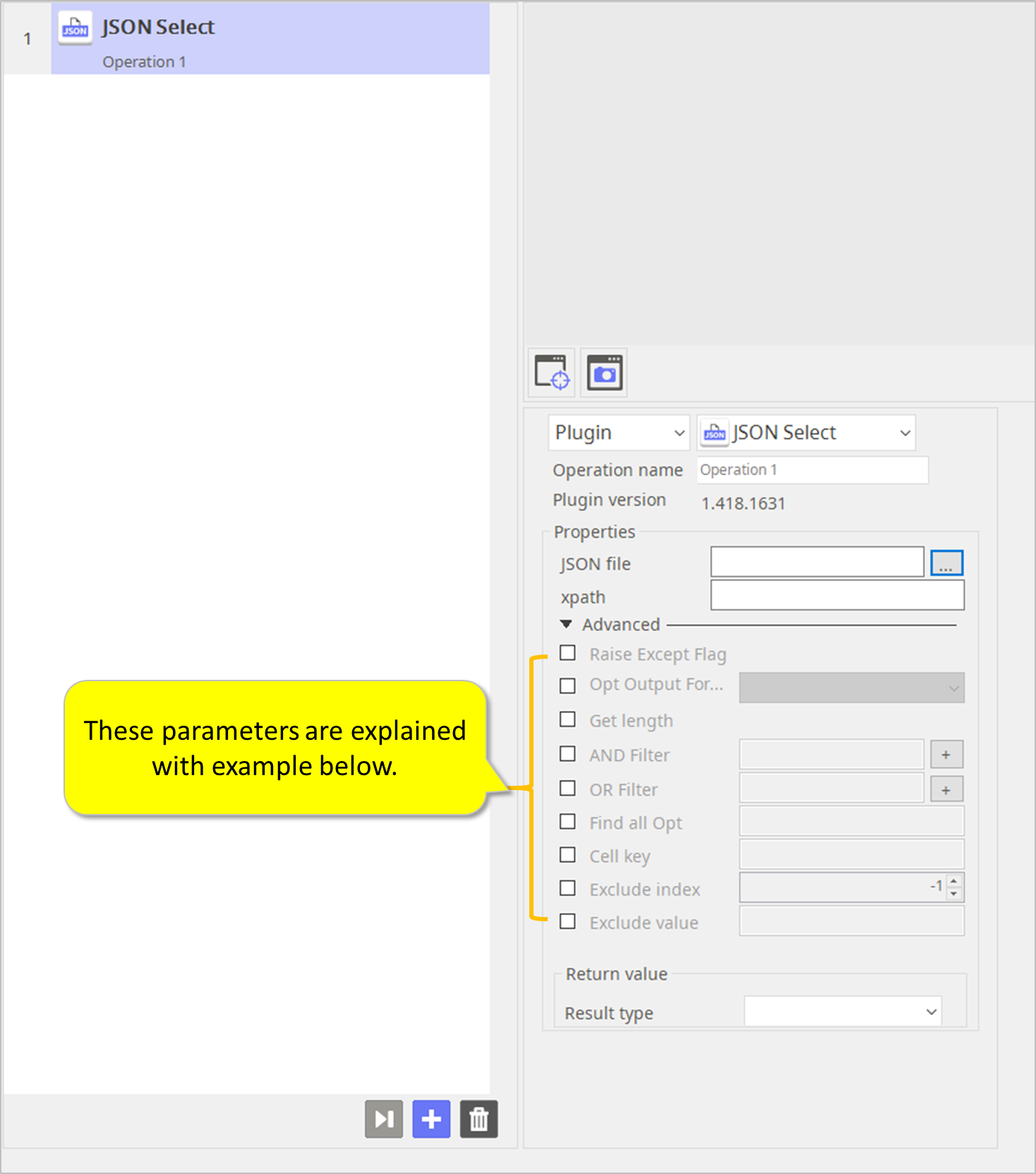
- These parameters are explained with example below.
1) Execute with xpath "total"
> result is "12"
2)Execute with xpath "pagedata/data[2]/id"
> result is "3"
3) Execute with xpath "pagedata/data"
> result are
- "id","name","year","color","pantone_value"
- 1,"cerulean",2000,"#98B2D1","We"
- 2,"fuchsia rose",2001,"#C74375","Freedom"
- 3,"true red",2002,"#BF1932","Soul"
if you want to find speicial key and value. use the 'Find all Opt' option or your json file structure must be like a example file structure
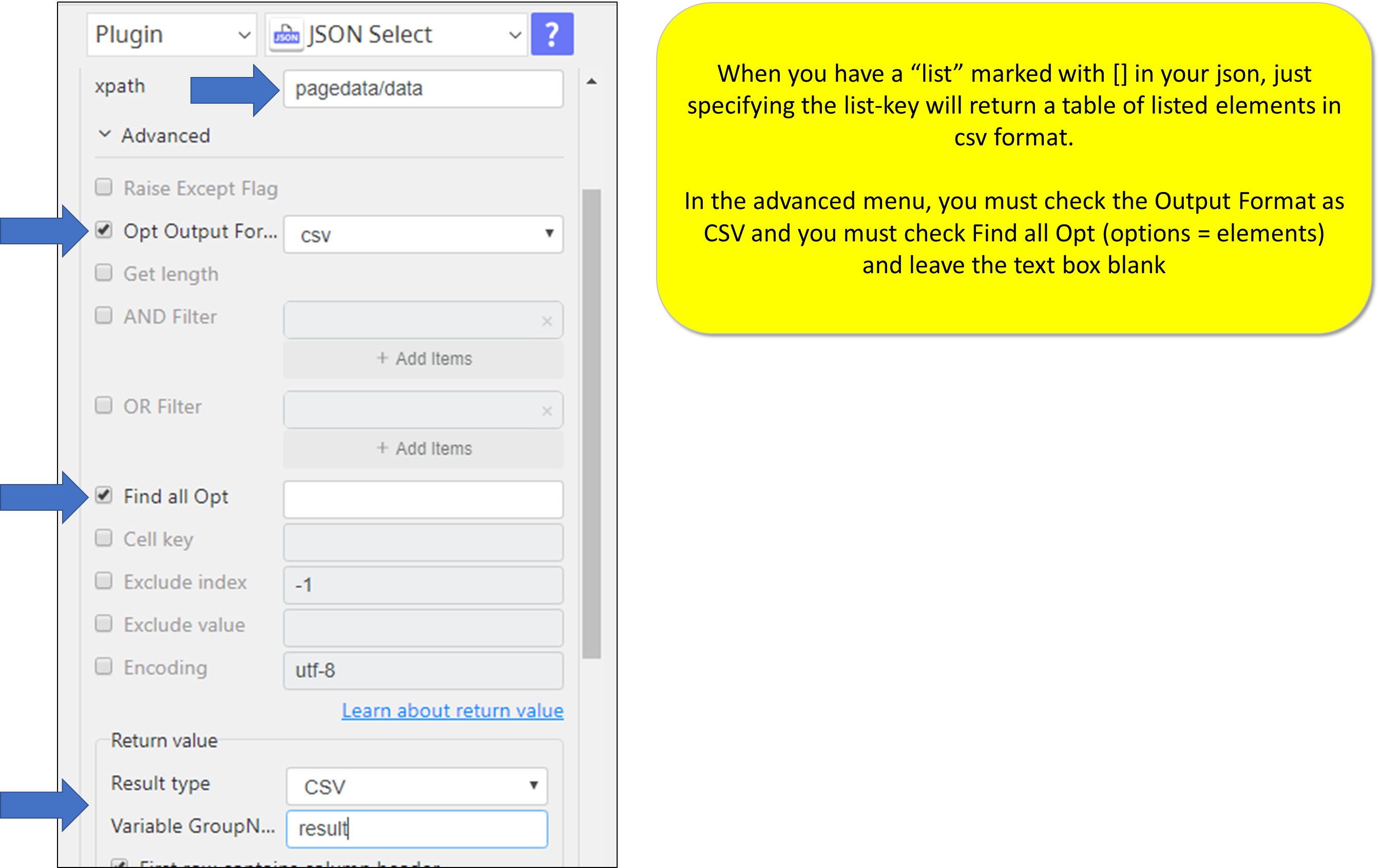
When you have a “list” marked with [] in your json, just specifying the list-key will return a table of listed elements in csv format.
In the advanced menu, you must check the Output Format as CSV and you must check Find all Opt (options = elements) and leave the text box blank
4) Execute with xpath "pagedata/invalid" with "Raise Except Flag"
> return Error
5) Execute with xpath "pagedata/invalid" without "Raise Except Flag"
> return Error
==> no need this option.
6) Execute with xpath "pagedata/data" with "Get length"
> result are "3"
7) Execute with xpath "pagedata/data" with "AND Filter", "id=2" (this "AND Filter" can be mupliple)
> result are
- "id","name","year","color","pantone_value"
- 2,"fuchsia rose",2001,"#C74375","Freedom"
8) Execute with xpath "pagedata/data" with "OR Filter", "id=2", "OR Filter", "id=3"
(this "AND Filter" can be mupliple)
> result are
- "id","name","year","color","pantone_value"
- 2,"fuchsia rose",2001,"#C74375","Freedom"
- 3,"true red",2002,"#BF1932","Soul"
Return Code
Code | Meaning |
|---|---|
| 0 | Execution successful |
| 2 | Execution failed |