DocDigitizer Upload-4.411.850
- ARGOSLABS
Owned by ARGOSLABS
Dec 01, 2023
2 min read
Loading data...
| DocDigitizer Upload |
Author Arun Kumar (arunk@argos-labs.com) Primary Features DocDigitizer Upload: use this plug-in to Submit file(s) and extract their data. supports the following media types: application/pdf, image/jpeg, image/png, image/tiff. file size max. 25Mb for upload. |
Input (Required)
Parameters | Output |
API Key | document_id,status |
File | |
API Key | document_id,status |
File | |
Callback URL | |
Callback Method | |
Callback Headers | |
Tag |
Notes:-
- API Key Docdigitizer Authorization key.
- File: file to submit to extract data
- Callback URL: optional parameter, should be the url of your API for you to be notified by Callback service (status notification)
- Callback Method: optional parameter, parameter related with callback service to specify which method to use to call the service, only GET or POST is accepted. If this parameter is omitted we call with GET.
- Callback Headers: optional parameter, parameter related with callback service to specify HTTP headers to pass when we call the callback service. This is a dictionary of key/value pairs of strings, like -
- Tag: this is an optional header that you can use to put your own tags. Tags are comma separated.
Return Value
Normal Case
Description of the output result
Return Code
Code | Meaning |
0 | Success |
1 | Exceptional case |
Output Format
You may choose one of 3 output formats below,
- String (default)
- CSV
- File
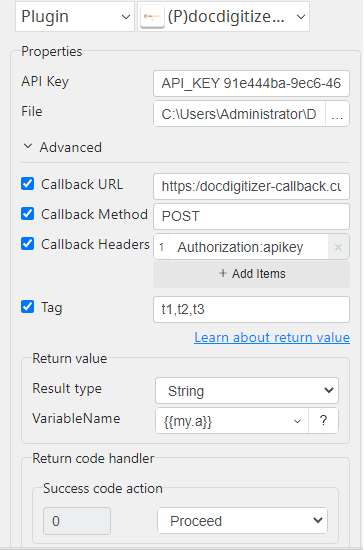
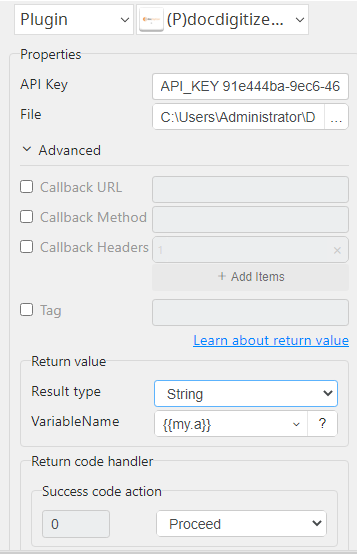
Parameter setting examples (diagrams)
Operations
Upload File:
Upload File with optional parameter: