/
Telegram-2.726.1300
Telegram-2.726.1300
- ARGOSLABS
Owned by ARGOSLABS
| Telegram |
|---|---|
Author: Irene Cho This plugin sends messages or files to Telegram. Primary Features
Prerequisite A. You must have a Telegram account.
|


Contents
Input
- Credentials
● Token - Chat Id
- Message
- File (file path) (Only when sending as a User)
Crate a Telegram bot
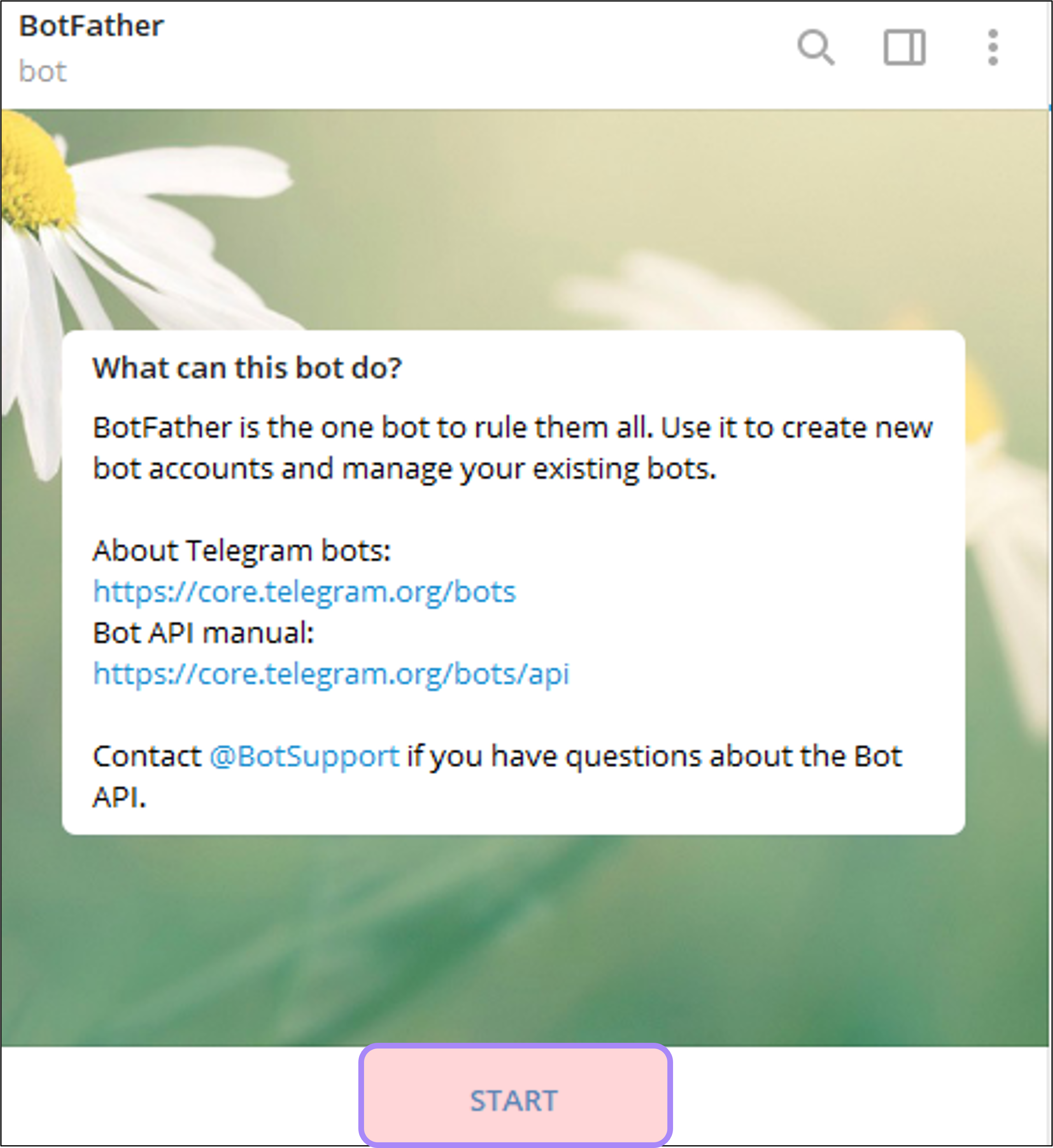
- Login to your Telegram account (either with browser or with app): https://t.me/botfather


- Send messages to BotFather
- Click ‘START’.
- Type ‘/newbot’.
- Type the name of your bot.
- Type the username for your bot.
- Save your token.
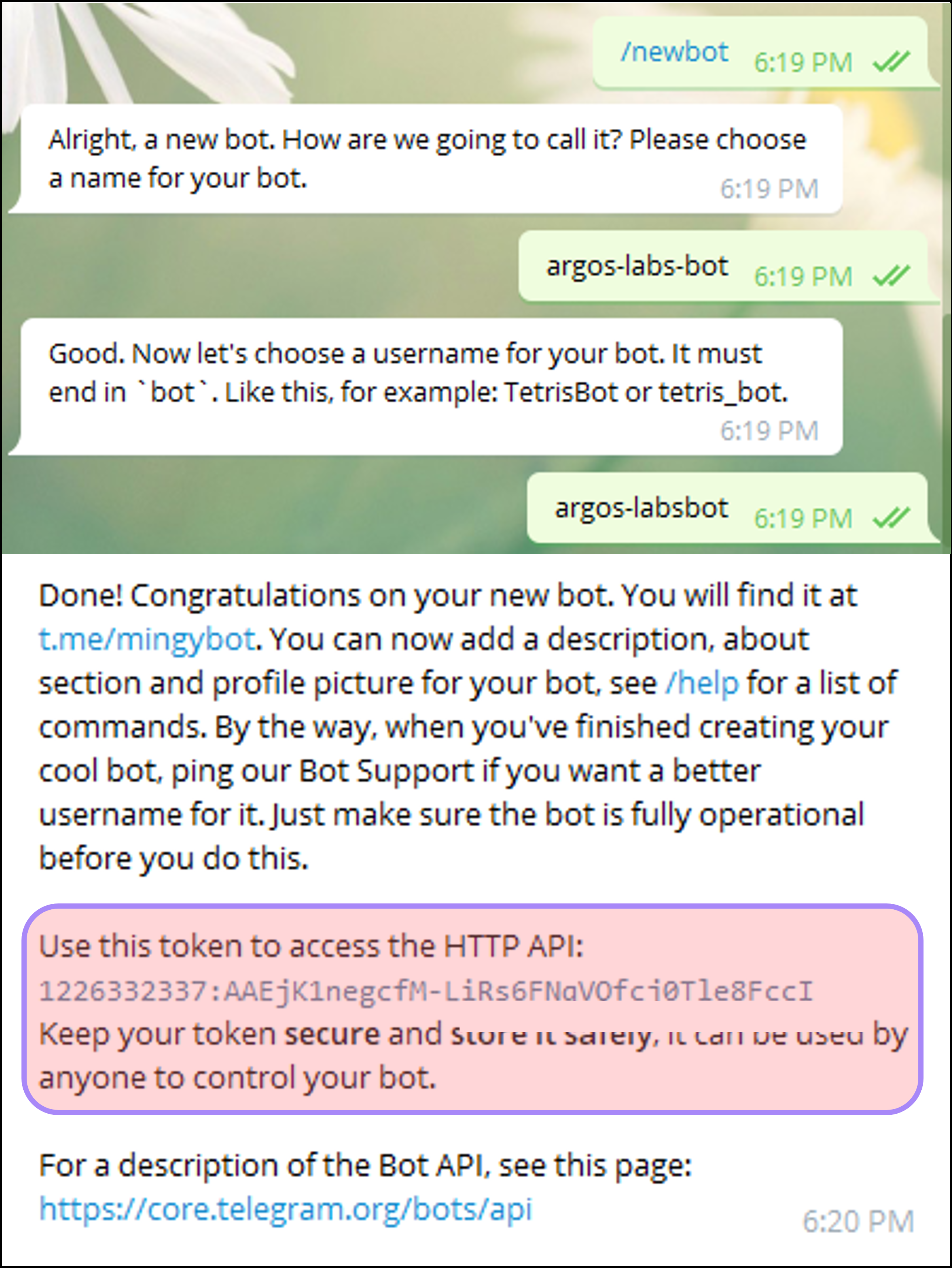
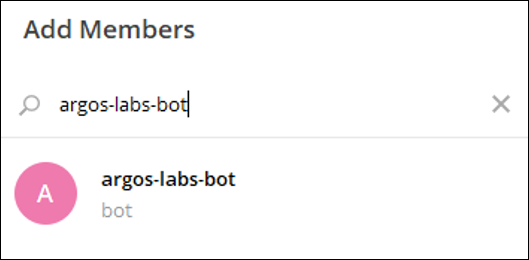
3. Invite your bot into a channel and send messages.
Parameter Settings
1. ‘Find a Chat Id’: To get a chat id, you must invite the bot into the channel and start the conversation.
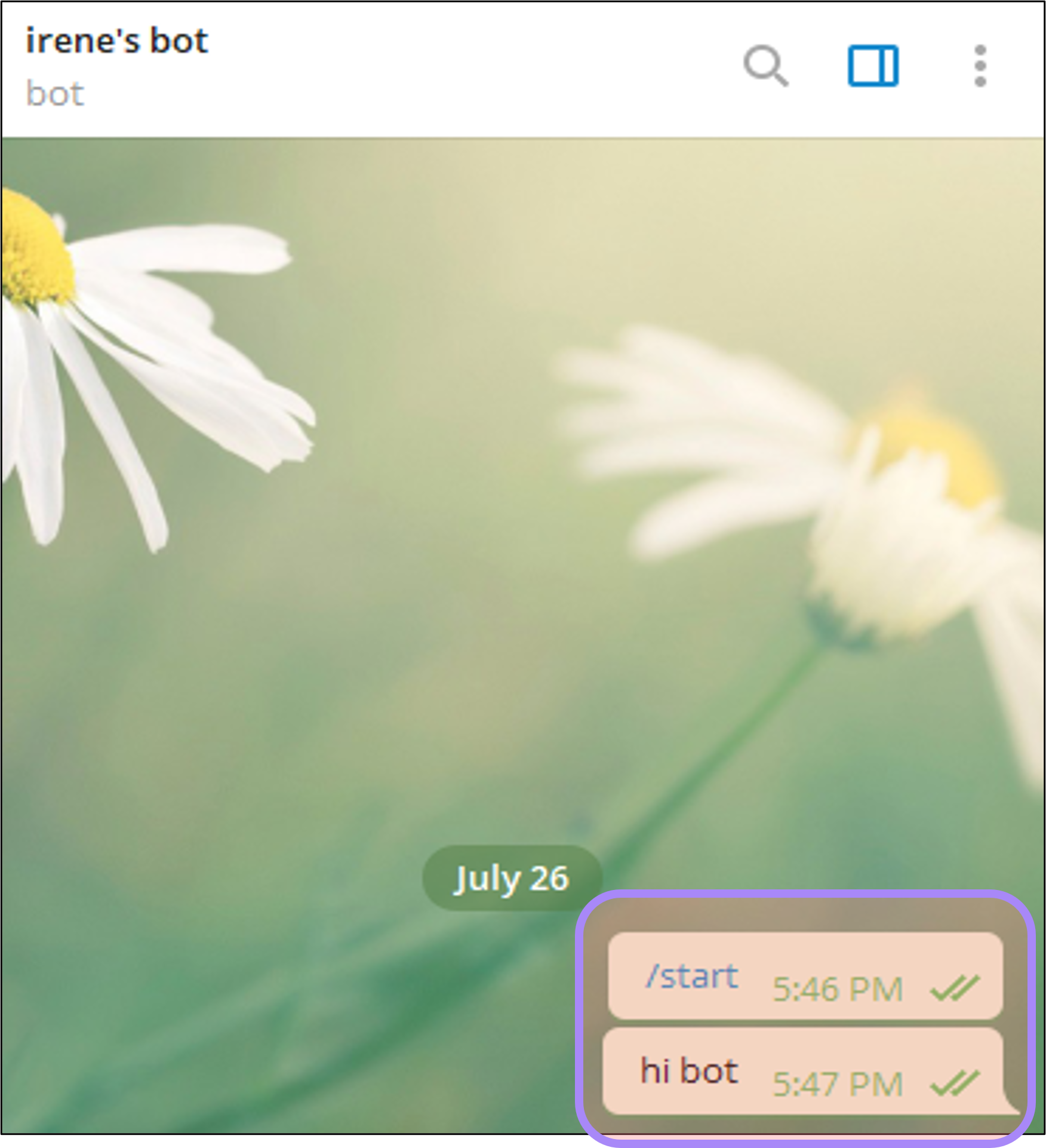
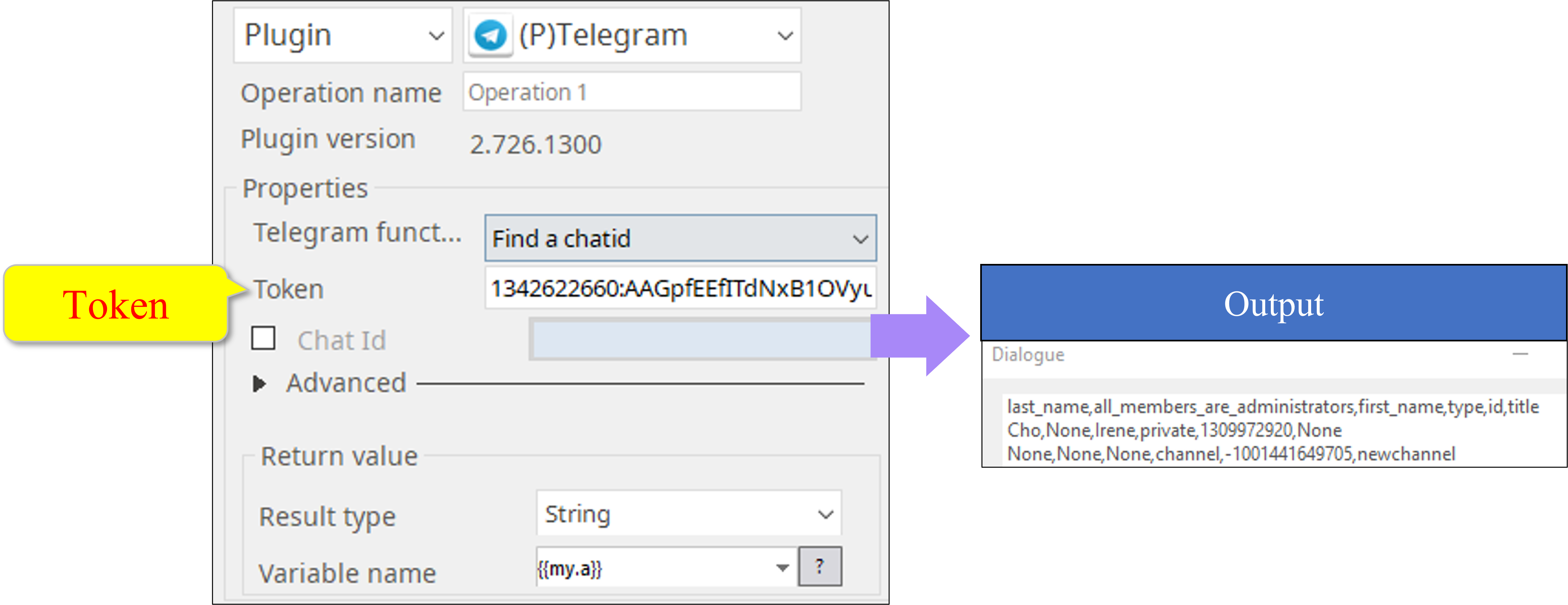
- ‘id’ is Chat Id
- The output may be different depending on the types of a chat which are private, channel, group, and supergroup.
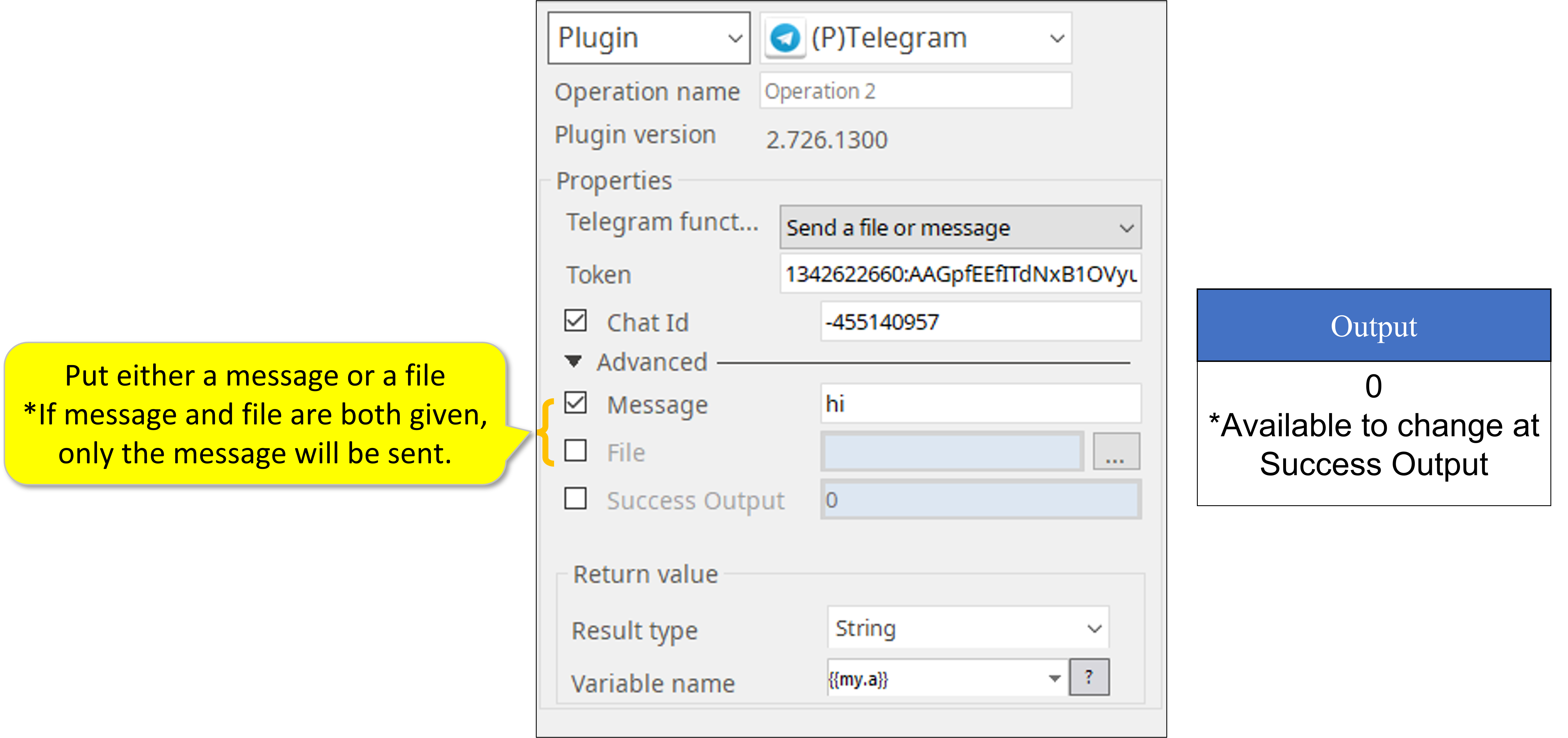
2. ‘Send a message and file’
Return Value
- Select [Sting]
- Success: User definable (default is 0)
- Failure: Print error message but the bot will still run
Related content
Telegram-2.726.1300
Telegram-2.726.1300
More like this
Slack-2.721.1100
Slack-2.721.1100
More like this
Slack-2.721.1100
Slack-2.721.1100
More like this
Chatwork Notification-2.730.1830
Chatwork Notification-2.730.1830
More like this
Chatwork Notification-2.730.1830
Chatwork Notification-2.730.1830
More like this
LINE Notify-2.305.1802
LINE Notify-2.305.1802
More like this