Bot Collabo-1.821.1020
- ARGOSLABS
| Bot Collabo |
|---|---|
Author: Jerry Chae This plugin is based on the API from Redis, an open source project for in-memory structured data storage solution. This plugin allows multiple bots to share and access common data storage that holds value independent from bot-operations. Structures include list, stack, queue, hash, and simple storage. This plugin can be used for designing bots-as-team automation and/or exception handling scheme. |

Content
How to set up Bot Collabo in-memory storage (Redis server)..
Please refer to following links,
1. Windows
https://github.com/microsoftarchive/redis
2. Linux
https://linuxtechlab.com/how-install-redis-server-linux/
3. For Windows 10 users
Windows Subsystem for Linux (WSL) is a great option to run both Windows and Linux simultaneous on your PC.
To install WSL, visit this website.
To install Linux, visit this link.
- Redis supports Ubuntu, CentOS, or RHEL
https://docs.microsoft.com/en-us/windows/wsl/install-win10#install-your-linux-distribution-of-choice
Installation of Redis server is described here.
Once the installations of all of the above is done, run your Linux and look for the directory you have install the Redis-Server. Then type command [redis-server] to start the server!
Your Bot Collabo is now ready to go.
Data Structure and Commands
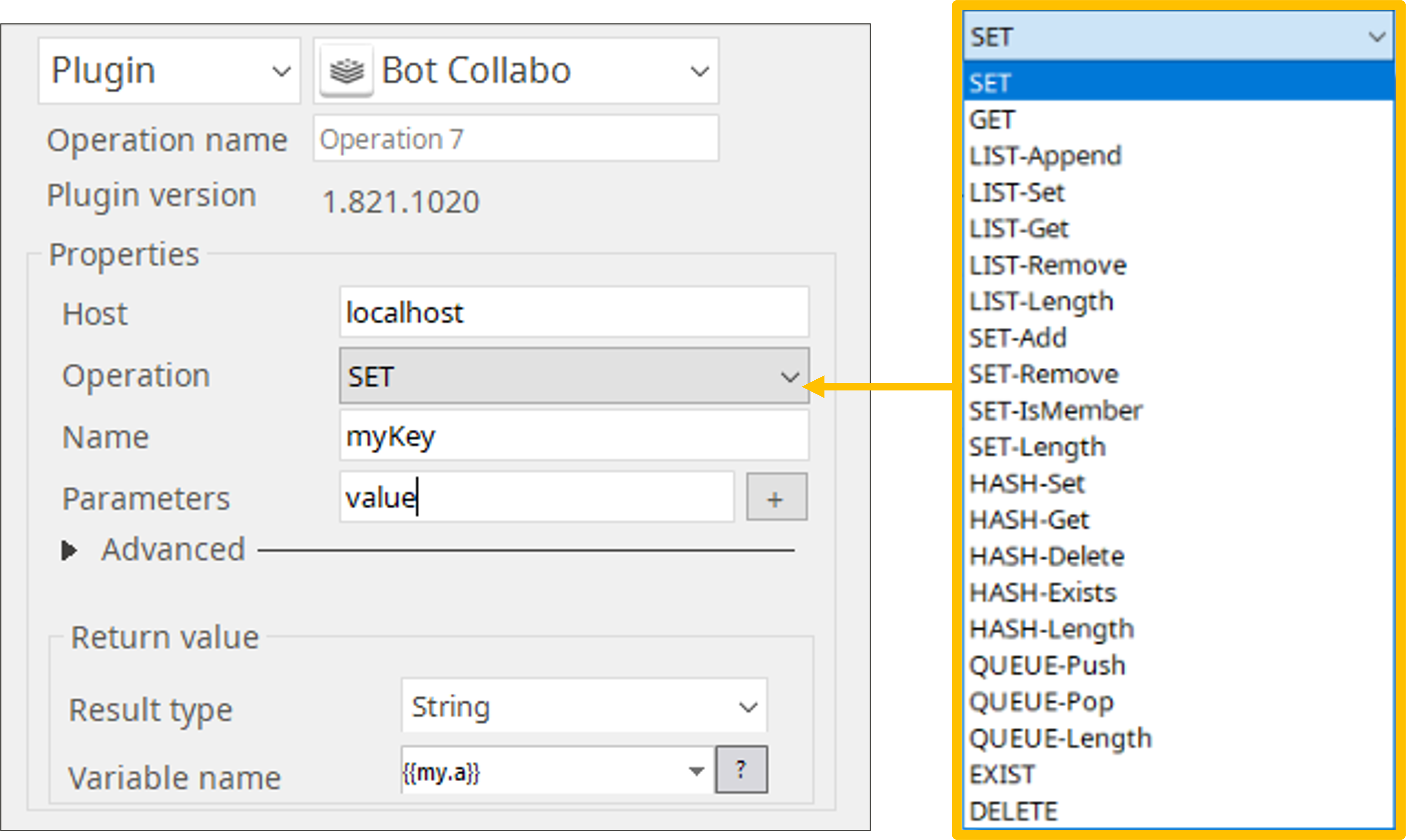
Structure | Command | Description | Return Value | |
|---|---|---|---|---|
| Bot Collabo | Redis | |||
| Simple | SET | SET | Add one value in storage | value |
| GET | GET | Retrieve value(s) from storage | value | |
| EXIST | EXISTS | Find out if value is in storage | true/false | |
| DELETE | DEL | Delete value from storage | true/false | |
| List | LIST-Append | RPUSH/LLEN | Combine lists | length of list |
| LIST-Set | LSET/LLEN | Add value to list | true/false | |
| LIST-Get | LINDEX | Retrieve value(s) from list | n-th value from list | |
| LIST-Remove | LREM/LLEN | Deleve value from list | length of list | |
| LIST-Length | LLEN | Obtain length of list | length of list | |
| Set | SET-Add | SADD/SCARD | Add value to set | size of set |
| SET-Remove | SREM/SCARD | Delete value from set | size of set | |
| SET-IsMember | SISMEMBER | Confirm set includes the value | true/false | |
| SET-Lenth | SCARD | Obtain size of set (# of values) | size of set | |
| Hash | HASH-Set | HSET | Set key, value pair in a hash | true/false |
| HASH-Get | HGET | Get value with key in a hash | hash value | |
| HASH-Delete | HDEL | Delete key, value pair in a hash | true/false | |
| HASH-Exists | HEXISTS | Check if a key exists in a hash | true/false | |
| Queue | QUEUE-Push | RPUSH/LLEN | Add value to the end of queue | length of queue |
| QUEUE-Pop | BLPOP | Get value from the top of queue | value | |
| QUEUE-Length | LLEN | Obtain length of queue | length of queue | |
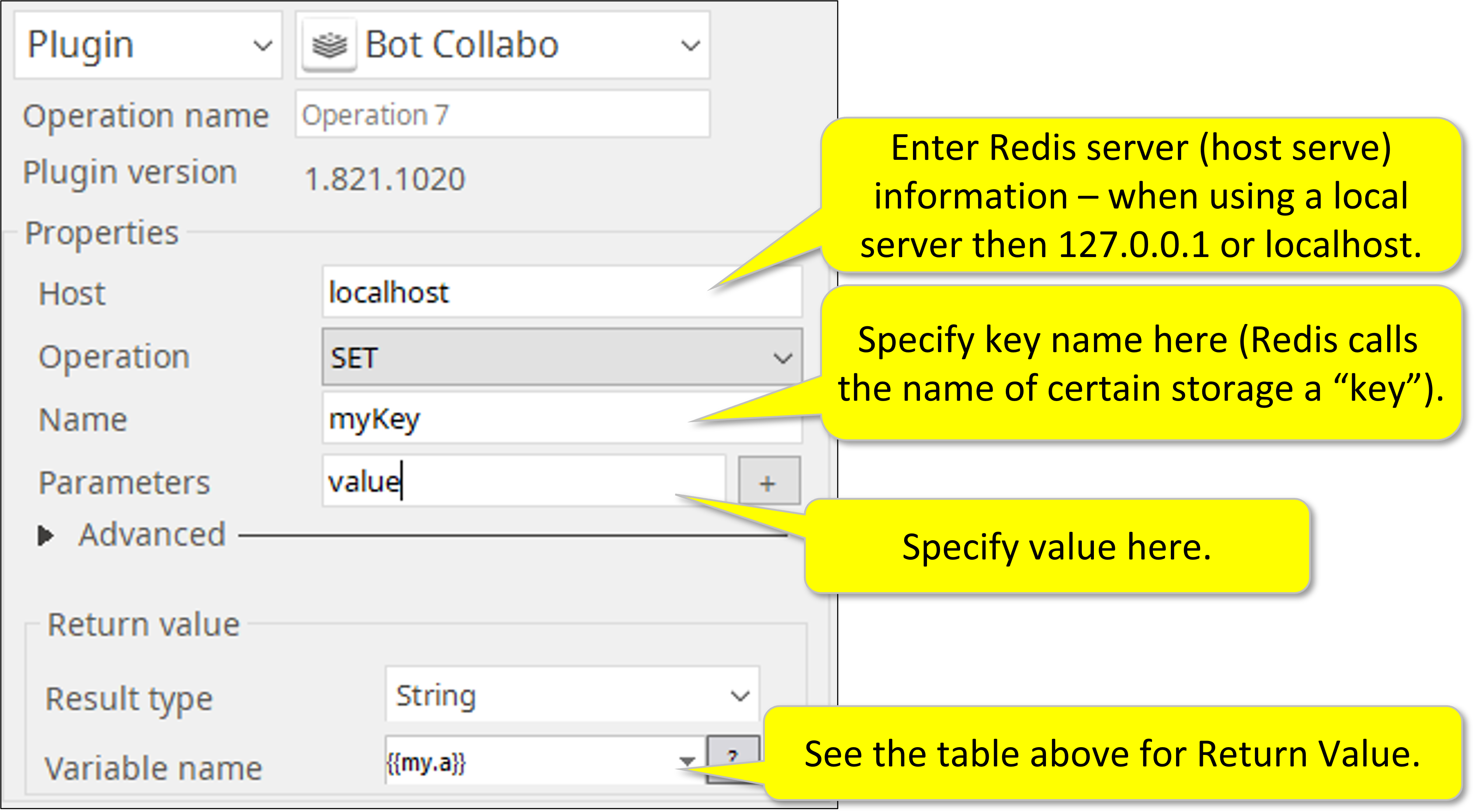
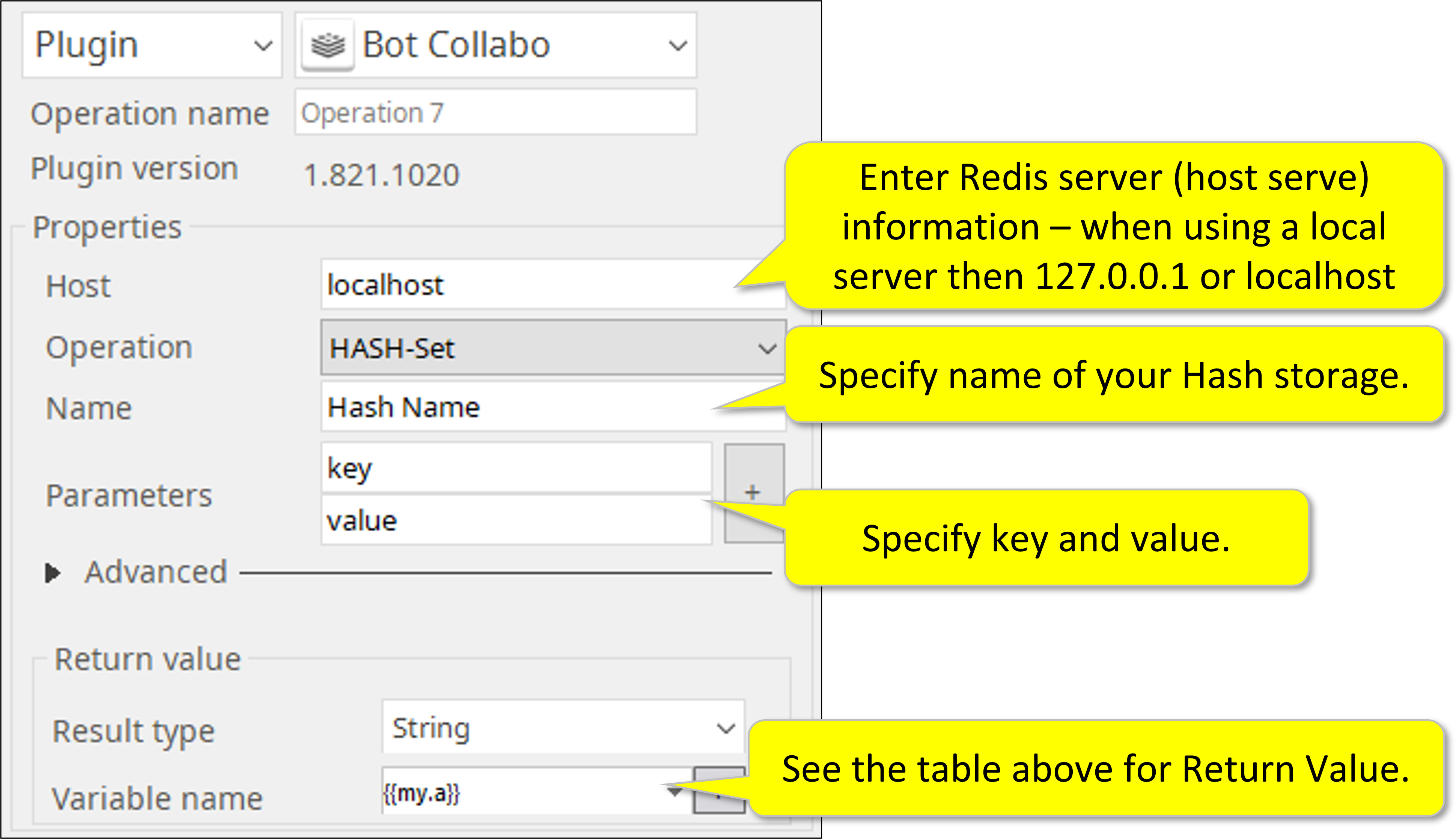
How to set parameters
For Simple, List, Set, and Queue.
- For Hash.
Return Code
Code | Meaning |
|---|---|
| 0 | Execution successful |
| 1 | Execution failed |