PDF2Table-3.811.1045
- ARGOSLABS
| PDF2Table |
|---|---|
Author: Kyobong An Description This plugin extracts texts and tables from PDF files. Restrictions This plugin works only with PDF files where the texts are selectable. Scanned (image) PDF files will not work with this plugin. Our friend ABBYY explains very well about the different types of PDF’s here. In summary, the ABBYY’s term “TRUE PDF” do not need ABBYY. https://pdf.abbyy.com/learning-center/pdf-types/ |
From version 3.819.1007
Additional advanced parameters were added like below under the “TABLE” option.
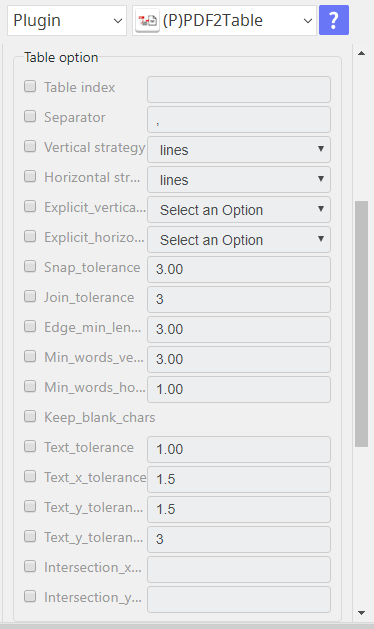
To utilize these options users must understand functions and terminologies of the base Python technology of this plugin which is called pdfplubmer.
For more resources, please visit these websites.
- https://pypi.org/project/pdfplumber/0.5.28/
- https://newbedev.com/how-to-extract-text-from-pdf-in-python-3
Input (Required)
- Operation mode either TEXT mode or TABLE mode
- Input PDF file (.pdf but digitally generated PDF only) as input (file path)
- Output file name and path (For TABLE option, you can choose .csv or .txt – For TEXT option only .txt is available)
Input (Optional)
- Page number
- Table number (when there are multiple tables in a PDF they will have index (number) from the top to bottom)
- Separator to be used to separate values in table
- Horizontal and Vertical Strategies – this is used to determine the boundaries of values in the table when “lines” are not very clear
- Lines
- Lines – strict
- Text
Output/Return Value
Return Value
String Full file path for the output file
Csv Full file path for the output file
File Full file path for the output file
Return Code
0 Execution Successful
1 The table is not included in PDFfile
9 All other responses from the plugin
Parameter Settings
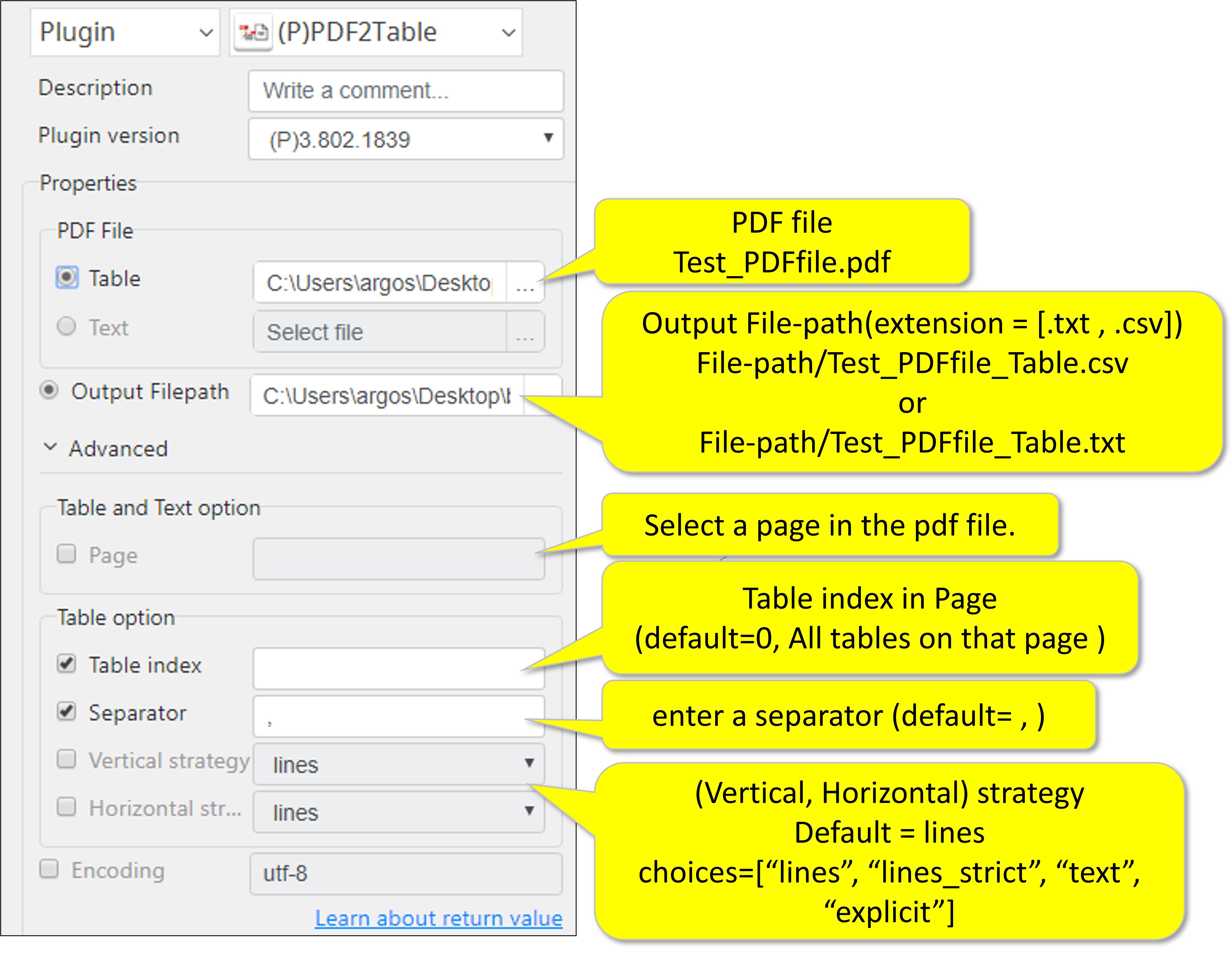
For TABLE option
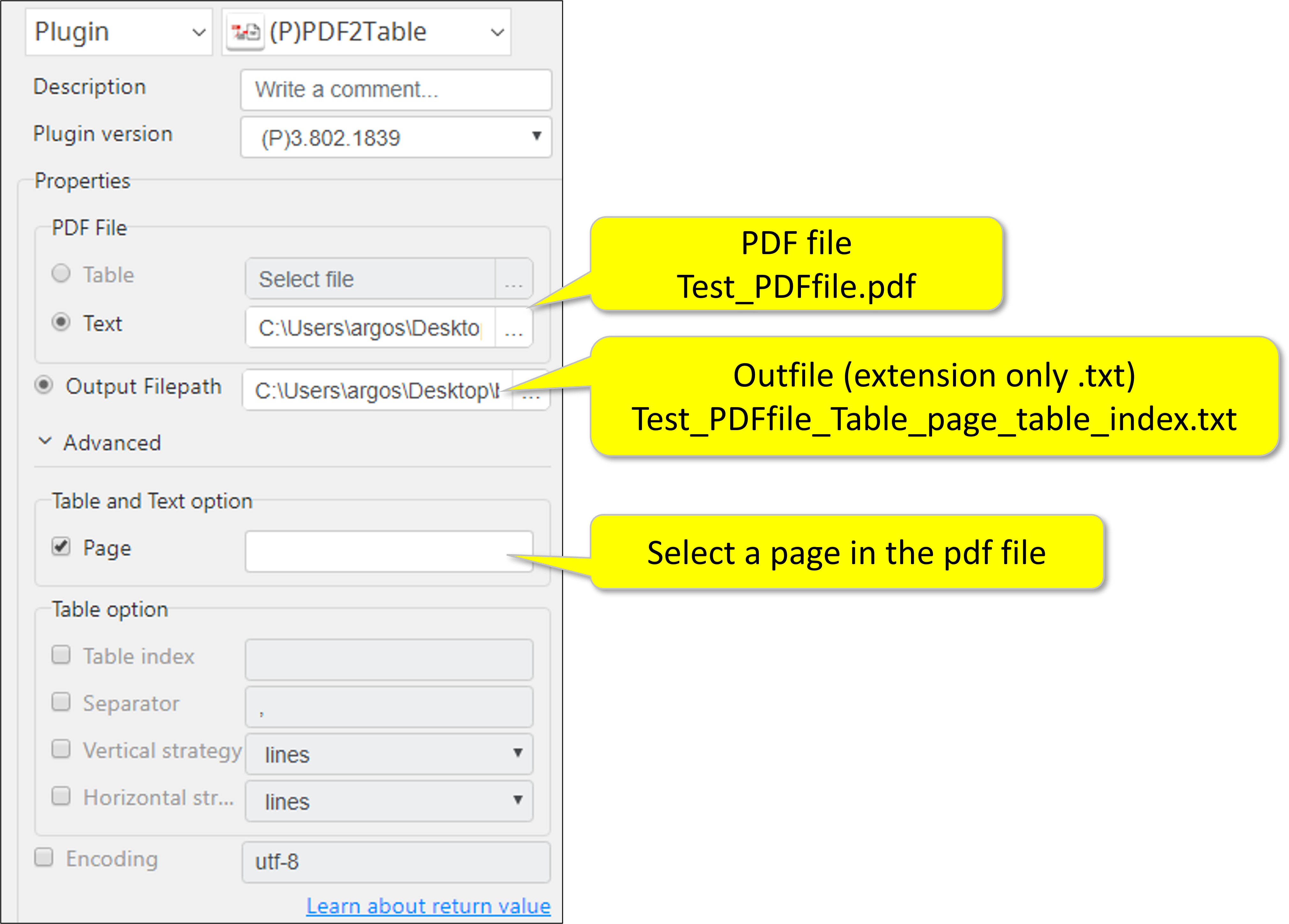
For TEXT option
More tips for TABLE option
Table index: Select the table within the selected page.
Separator: Please enter a separator which will be inserted between words in exported .txt file (default=‘,’)
What are VERTICAL and HORIZONTAL Strategies
Strategy | Description |
"lines" | Use the page's graphical lines — including the sides of rectangle objects — as the borders of potential table-cells. |
"lines_strict" | Use the page's graphical lines — but not the sides of rectangle objects — as the borders of potential table-cells. |
"text" | For vertical_strategy: Deduce the (imaginary) lines that connect the left, right, or center of words on the page, and use those lines as the borders of potential table-cells. For horizontal_strategy, the same but using the tops of words. |