Screen Recording START-3.527.806
- ARGOSLABS
| Screen Recording - START |
|---|---|
Author: Jerry Chae
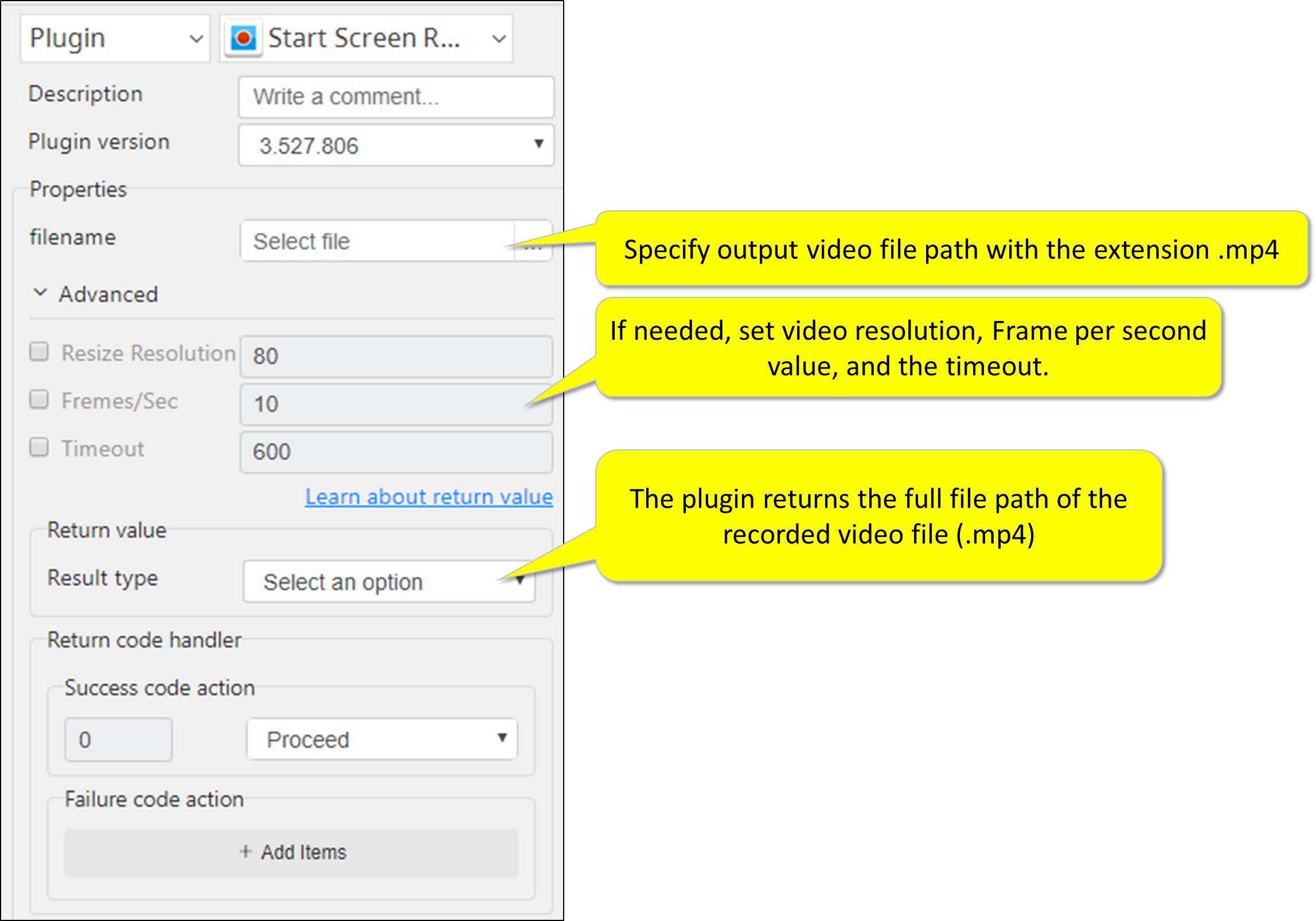
Description This plugin will start Screen Recording. No screen recording application needs to be installed separately. This plugin also allow user to set video resolution(quality), frame-per-second value of the video, and the recording time out.
No need for Screen Recording Application The plugin automatically installs ARGOS LABS Screen Recorder application. It also uninstalls the application when the recording has been stopped. |
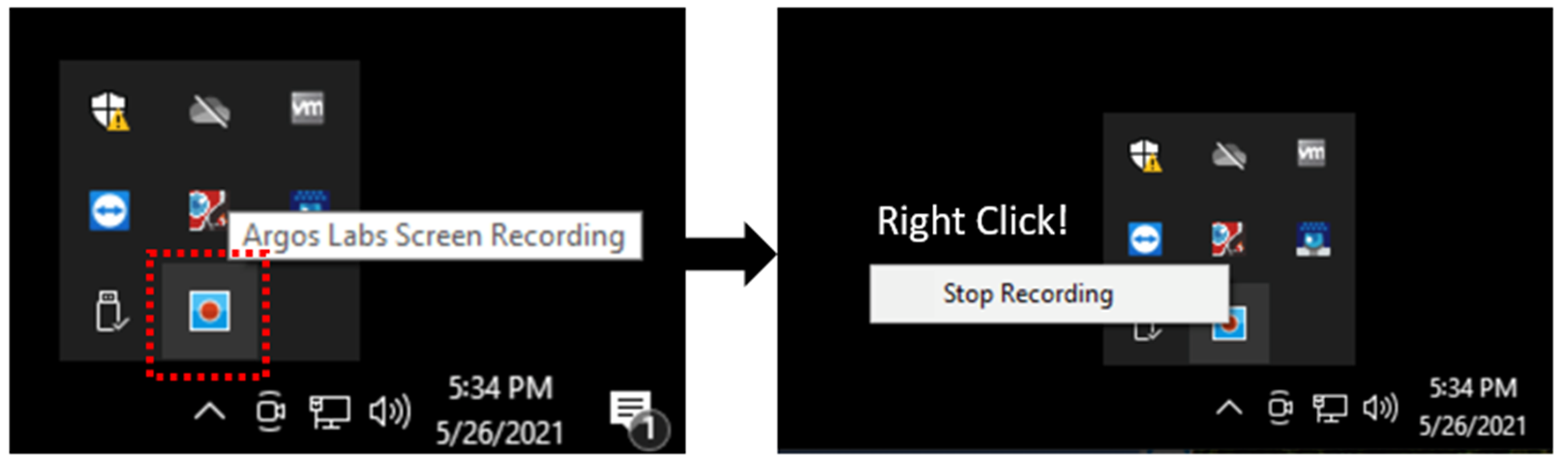
4 ways to stop the recording
- Use Screening Recording -STOP plugin
- Timeout
- Right click the ARGOS LABS Screen Recorder application icon in the Task Tray (see below)
- When PAM process finishes normally (please note when PAM process gets stopped abnormally, the screen recording does not stop.)
Playback time
This plugin has been designed to give more visualization tools when needing to debug the automation scenario. It is not intended to produce a movie.
The playback time of the video cannot be precise as the video recording application takes FPS and calculates the playback time.
Output video format
.mp4
Required Input
- Full file path of the output video file
Optional Input
- Video resolution (quality)
- Configure by percentage value between 10 and 100
- 25 % of FHD will be similar to 960 x 540 level video quality
- Default is 80%
- Frames per second (FPS)
- Configurable range is 1 to 20
- Default is 10 FPS
- Recording timeout
- Default is 600 (10 minutes)
Return Value
- Full file path of output video file (String, CSV, or File)
Result Codes
0 for successful execution
1 for invalid input
9 for everything else
How to set parameters