Excel Update-3.510.1331
- ARGOSLABS
| Excel Update |
|---|---|
Author: Kyobong An Description This plugin replaces a value with another on an Excel sheet or on CSV. A handy tool for simple data manipulation. The DATA ONLY option will remove all “formulas” from Excel as well. |
Required Input
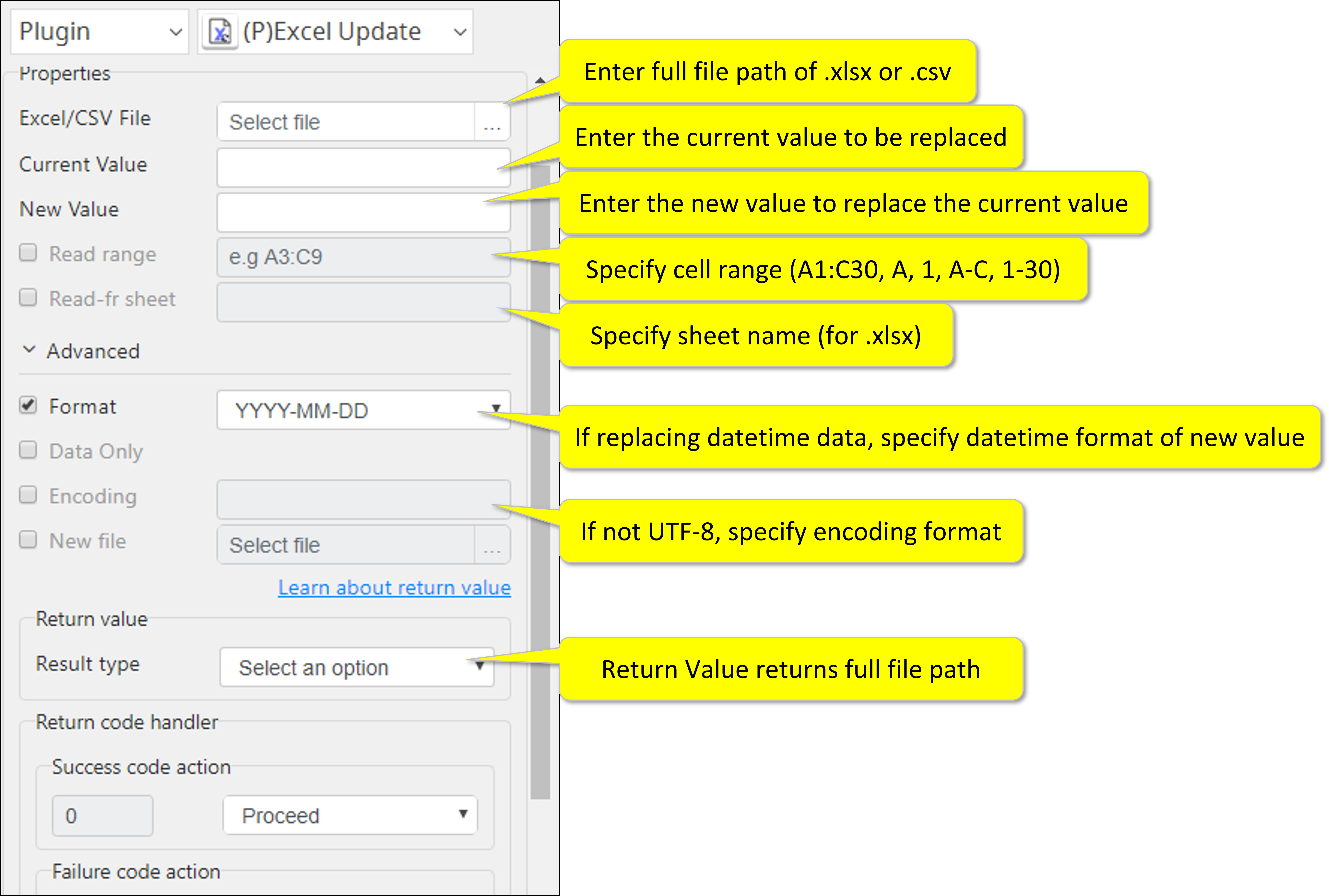
- Source file (full file path of either .xlsx or .csv)
- Current value and new value (default is blank)
Optional Input
- Cell range
• Use A1:C50 to select renge
• Entire column/row can be selected by just entering A or 1
• Multiple full column/rows can be selected by A-C or 1-3 notation
- Sheet name (for .xlsx)
Advanced Input
- Date/Time format
- When the replacement value is date/time, you must specify the format from the pull-down menu. This format applies to the new value. You must strictly follow the format such that mm must have 2 digits as in 02 as opposed to 2.
- Data Only
- By checking this option, all formulas will be removed and the “result data” will remain on the sheet. Because of the customer data protection policy, if new file name is not designated, the plugin will not change the original file.
Instead it would generate and new file with (n) at the end of the file name.
- Encoding format
- Default is UTF-8. If different, please specify.
- New file
- Enter full file path of the new file after updating values.
Return Value
- Full file path of the new file (String, CSV, or File)
Result Codes
0 for successful execution
1 for invalid input
9 for everything else
How to set parameters
Return Code
Code | Meaning |
|---|---|
| 0 | Execution successful |
| 1 | File open errors |
| 2 | Extension errors |
| 9 | Other failures |