Dialog Question-3.310.1530
- ARGOSLABS
Owned by ARGOSLABS
Dec 01, 2023
1 min read
Loading data...
| Dialog Question |
|---|---|
Author: Irene Cho Primary Features
|

How to handle Double Byte Characters
To handle 2 byte characters such as Chinese with the Dialog series plugins on Windows, you must follow the steps below ---
1) open Control panel
2) go to Clock and Region
3) go to Adniminstratives tab in the Region popup
4) click on the System Locale.... button
5) check to select Unicode UTF-8 for the system and apply
 WARNING. Please note that this setting WILL cause character display problems with some of the local applications that are not UTF-8 compatible.
Input
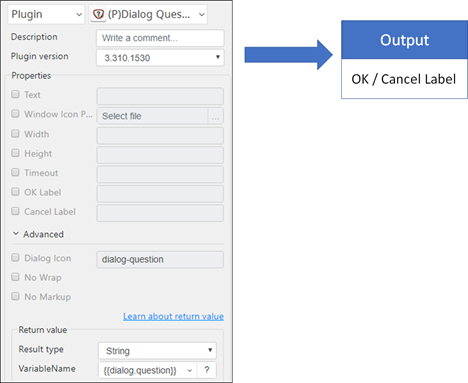
- Text: Set the dialog text
- Width: Set the width of dialog
- Height: Set the height of dialog
- Timeout: Set dialog timeout in seconds
- OK Label: Sets the label of OK button
- Cancel Label: Sets the label of cancel button
- No Wrap: Do not enable text wrapping
- No Markup: Do not enable pango markup
- Dialog Icon: Set the dialog icon Refer https://developer.gnome.org/icon-naming-spec/#names for some defaults
Example of Plugin