Excel Style-3.730.1300
- ARGOSLABS
Owned by ARGOSLABS
Dec 01, 2023
| Excel Style |
|---|---|
Author: Irene Cho Primary Features
|
Parameters
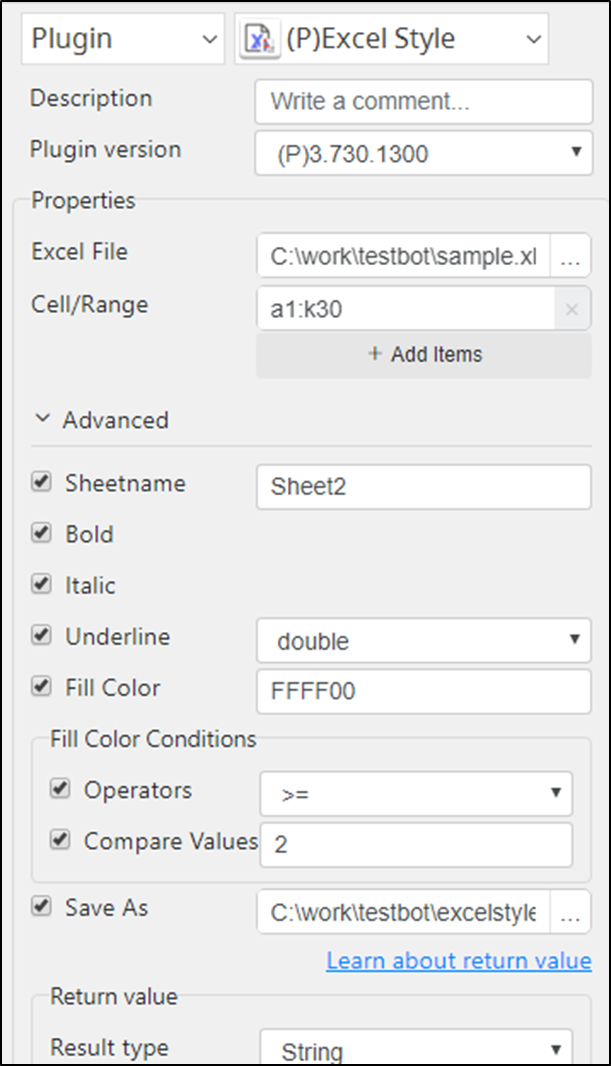
- Excel File
- Cell/Range
- Sheetname
- Bold
- Italic
- Underline: double, single
- Fill Color: RGB Color e.g. FFFFFF
- Operators: Set an operator to compare the values of cells
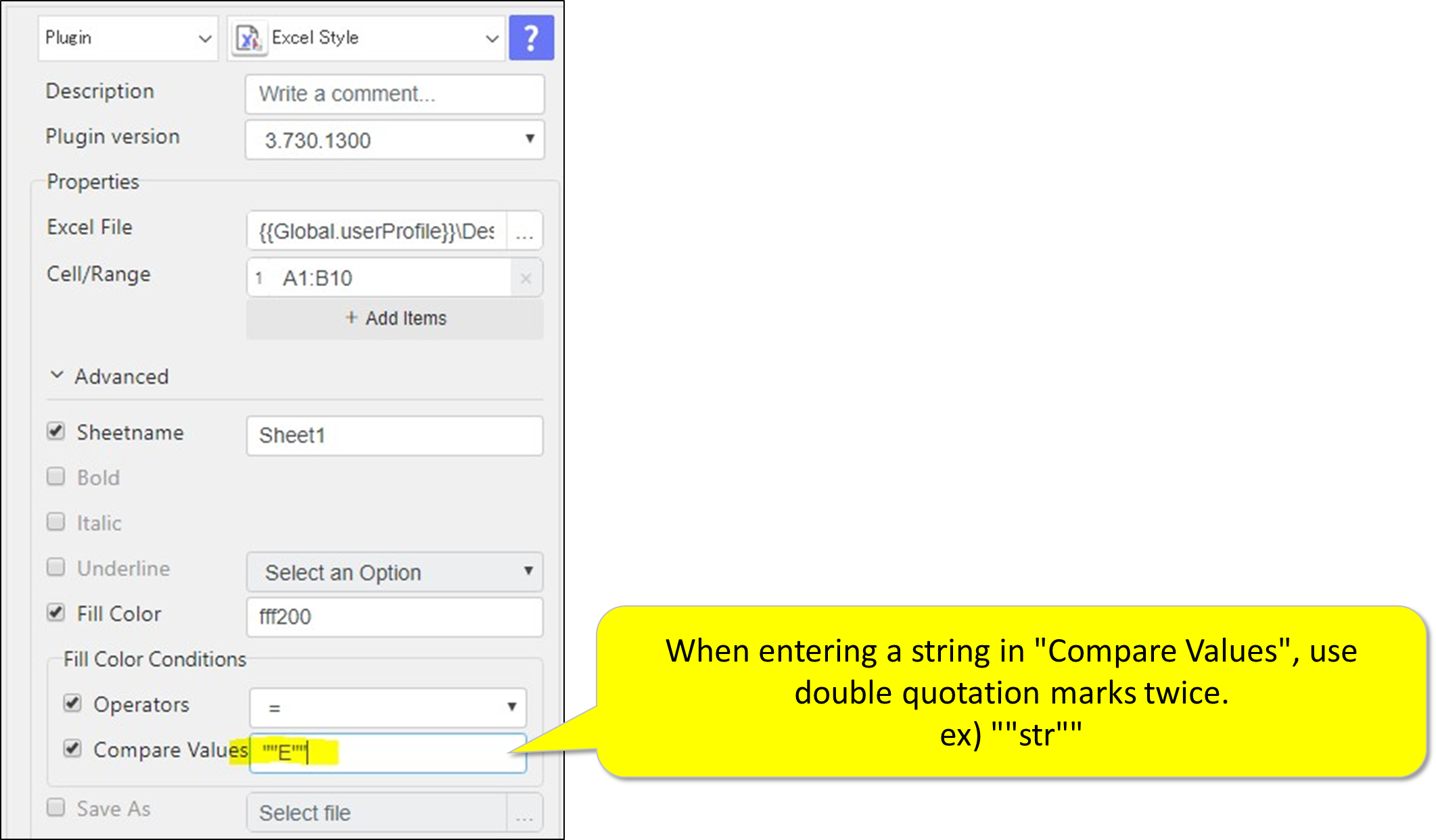
- Compare Values: Set the value to compare
- Use functions: Use functions in "Compare Values"
- Save AS: Save as a different filename
Output
- An absolute filepath
Example of the plugin in STU
When using functions with conditional formatting

When the conditional formatting is that the cell contains a "String"

When you want to perform conditional formatting on a row

Return Code
Code | Meaning |
|---|---|
| 0 | Execution successful |
| 1 | Execution failed |
, multiple selections available, Use left or right arrow keys to navigate selected items