Xtracta Tracking-2.904.1400
- ARGOSLABS
| Xtracta Tracking |
|---|---|
Author: Irene Cho NOTESAbout Xtracta – Xtracta is an AI-based form reading cloud OCR solution. https://xtracta.com/ There are 3 plugins available to integrate Xtracta technology to your automation.
Xtracta API Key and Workflow ID – You must first visit Xtracta website and make requests for credentials to their partner portal via their contact us link https://xtracta.com/contact-us/ |
Primary Features
- You can track the OCR process status of uploaded documents in Xtracta workflow and when the status turns “OK” it passes on the status to the Xtracta GetDoc plugin.
Input
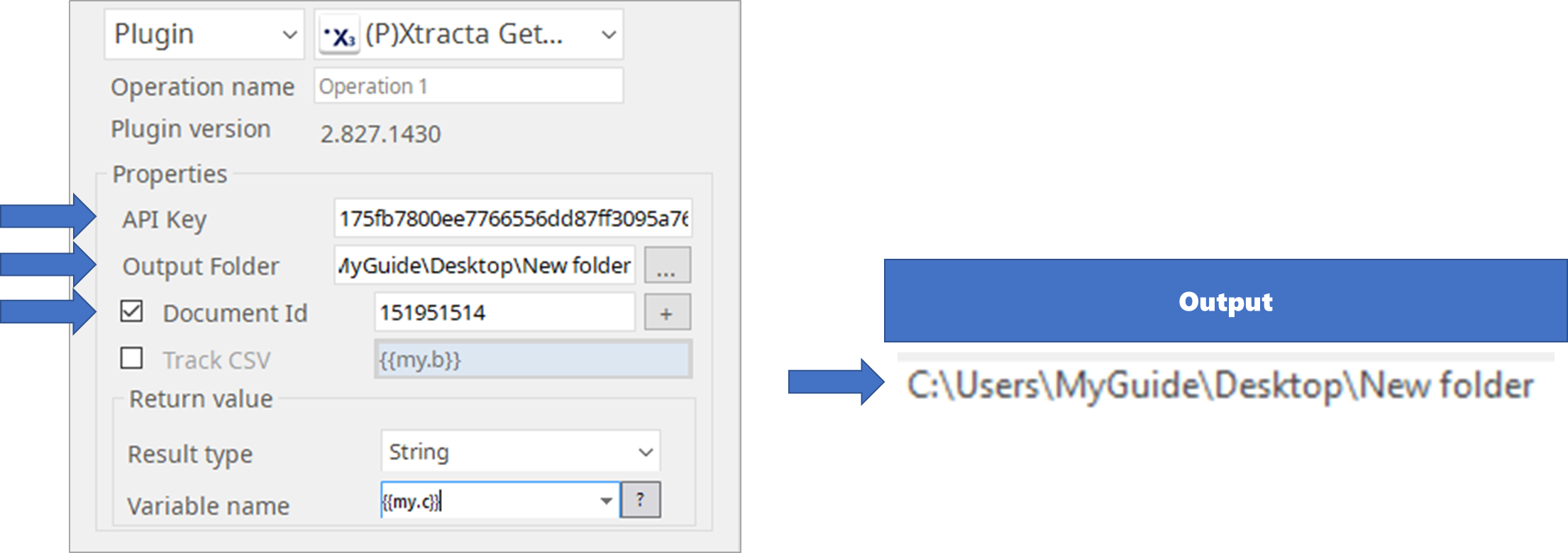
- Xtracta API Key and Document Id or Upload CSV
- Upload CSV means the CSV file that were created as the return value of the Xtracta Upload Doc plugin.
Optional Input
- Status check interval (in seconds): Default is 10 seconds.
- Status check time-out (in seconds): Default is 100 seconds.
- [Any] is used when multiple Document ID’s are being monitored for status. When checked at [Any], the plugin stops checking the give the result CSV as return value.
Output
1. Return Value
CSV
Headers are document_id, status, success_time
2. Result Codes
0 = success
1 = failure
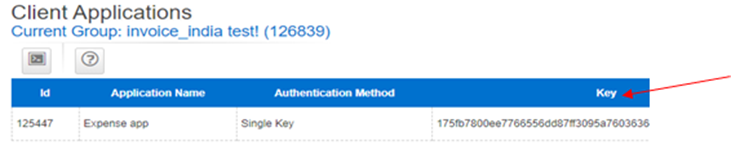
How to obtain API Key
Xtracta API Key : In the Xtracta website(https://app.xtracta.com/index.php), go to
Admin=>Application and copy the key
How to obtain Document ID
Xtracta Document Id: Obtain from the Xtracta Upload plugin output or at the dashboard of Xtracta workflow
What is Upload CSV
Upload CSV: The CSV output from the Xtracta Upload plugin
How to set parameters
- Interval
- Time intervals which tracks the uploaded documents
- Default is 10 seconds
- Timeout
- Max time that pauses the tracking
- Default is 100 seconds
- If the status of an uploaded document is already ‘OK’ whithin timeout, it will break the loop and move on to a next document
- Any
- The bot will be stopped when the status of any document is still processing after timeout