ARGOS API-3.906.3300
- ARGOSLABS
| ARGOS API |
|---|---|
Author: Kyobong An Description The ARGOS API plugin is based on the ARGOS Supervisor Open API to kick start ARGOS bots from another bot.
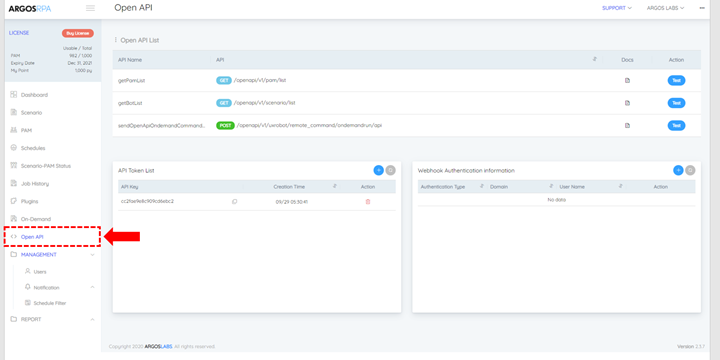
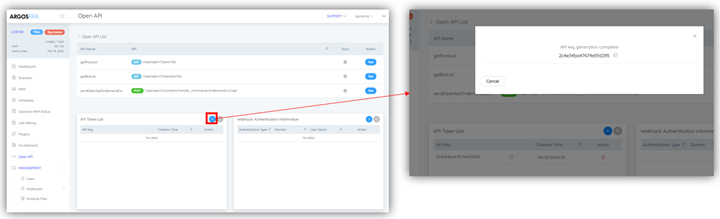
How to obtain API Key Visit Supervisor’s Open API menu via https://rpa.argos-labs.com/#/api Click on the plus sign to generate a new API Key.
|
Features
GetPAMList This feature will return the list of PAM ID’s under your Supervisor account
GetBOTlist This feature will return the list of BOT ID’s under your Supervisor Account
sendOnDemand This feature send the Supervisor to kick start a bot with PAM and BOT IDs
Input (Requirements)
- API : Select from [getPamList, getBotList, sendOndemand]
- getPamList : get a list of pams
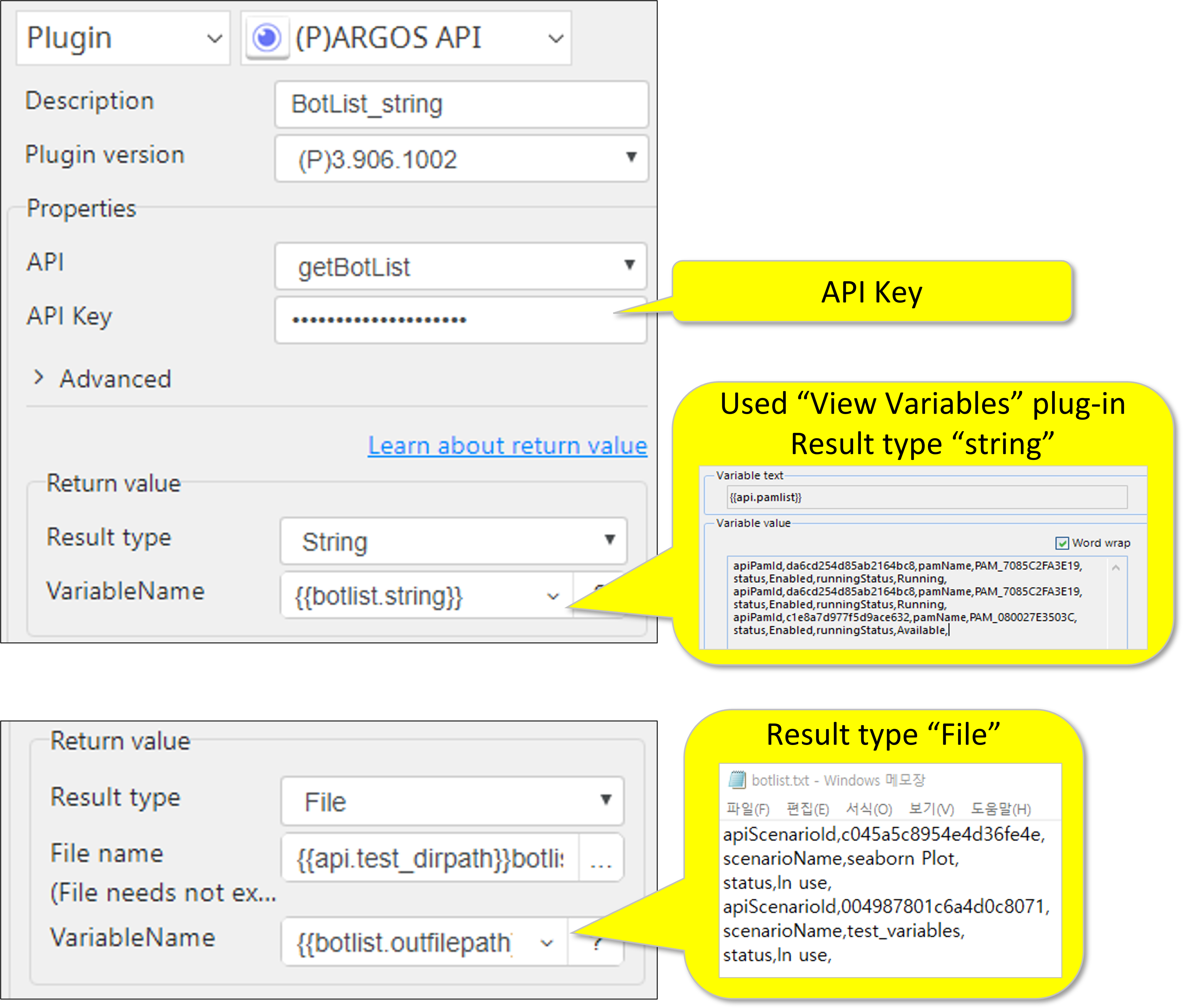
- getBotList : get a list of scenarios
- getOndemand : run a pam remotely
- API Key : One of API Tokens from API Token List
Advanced (sendOndemand)
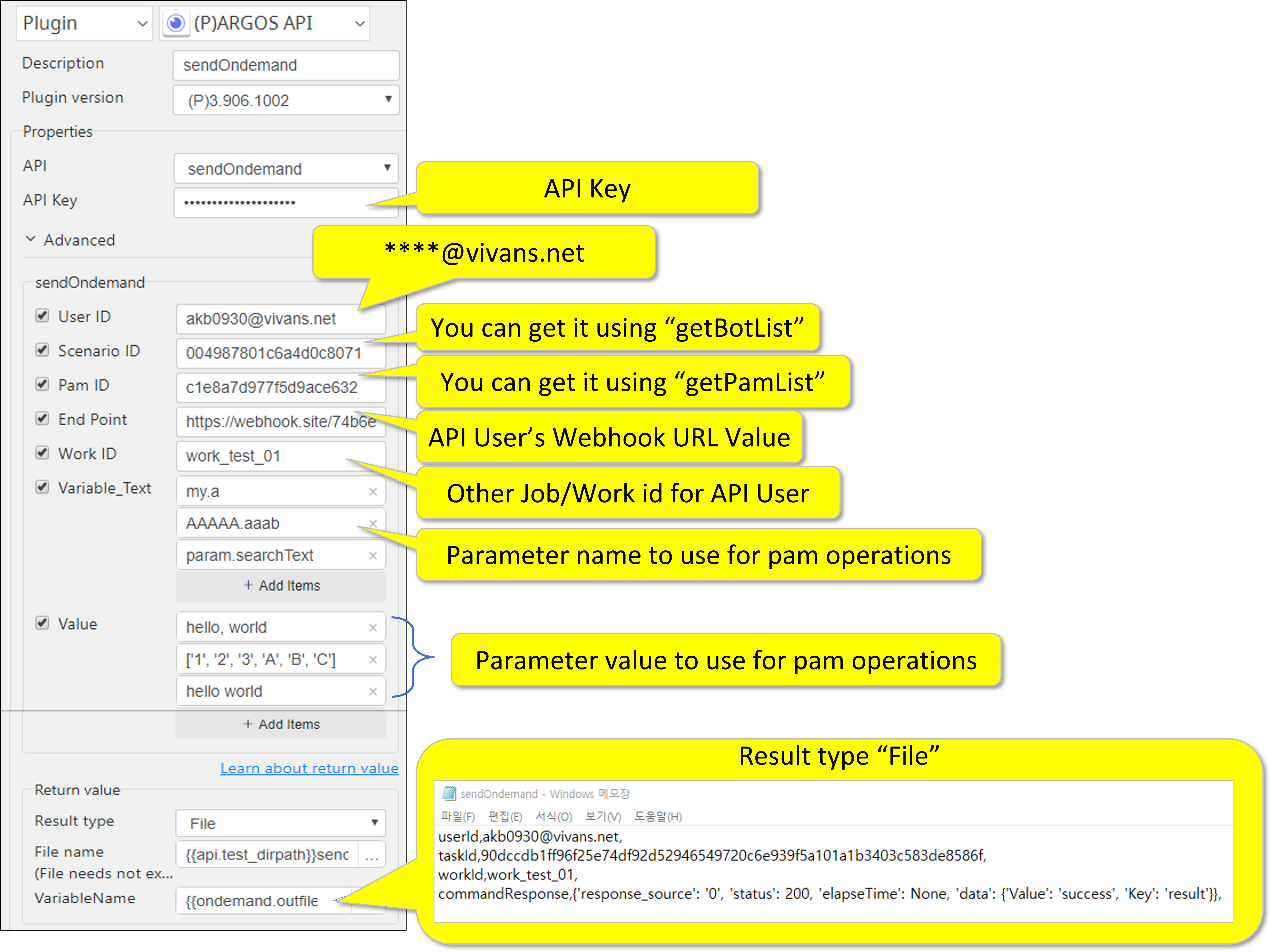
- User ID : User ID
- Scenario ID : One of Scenario ids from a scenario list
- Pam ID : One of pam ids from a pam list
- pam cannot be duplicated. Currently, Pam ID on PC cannot be used.
- End Point : API User’s Webhook URL Value
- Work ID : Other Job/Work ID for API User
- Variable_Text : Parameter name to use for pam oprations
- Value : Parameter value to use for pam oprations
Return Value
Output – Return Value(getPamList)
Key | Description | Type | Values |
|---|---|---|---|
apiPamId | Pam ID for openApi use | String | |
pamName | Pam Name | String | |
status | Pam’s current status | String | -Disabled -Enabled |
runningStatus | Pam’s current running status | String | -Not available -Available -Running |
Output – Return Value(getBotList)
Key | Description | Type | Values |
|---|---|---|---|
apiScenarioId | Scenario ID for openApi use | String | |
scenarioName | Scenario Name | String | |
status | Scenario’s current status | String | -In use -Paused |
Output – Return Value(sendOndemand)
Key | Description | Type | Values | |
|---|---|---|---|---|
Userid | User ID | String | ||
Taskid | Unique ID given to each transaction call for pam operations | String | ||
Workid | Other Job/Work ID for API User | String | ||
Command Response | data | Value : on-demand Result’s value | String | -success -failure |
Key : result | String | |||
elapseTime | Elapsed time to get a response message from a pam | Long | Currently not used | |
Response_ Source | Message from a pam | String | Currently not used Value is only 0 | |
ststus | Socket status after connection | Integer | 200 : success 400 : timeout 500 : failure 500 : failure(busy) | |
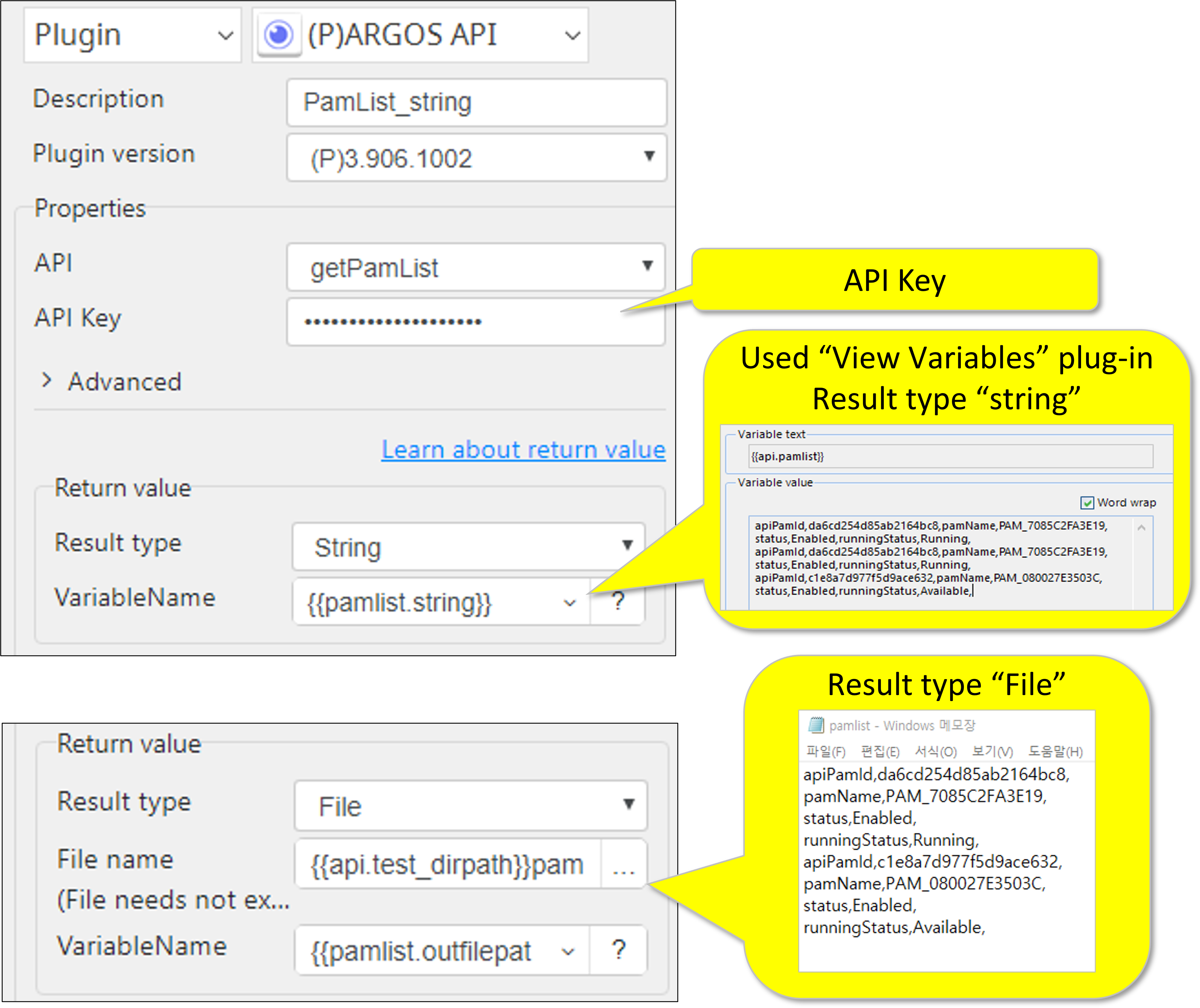
Sample Parameter Setting
1. getPAMlist
2. getBOTlist
3. sendONDEMAND
* If you want to obtain a result file in the form of a json file
Please put the file path + file name in the box in json format.

Return Code
Code | Meaning |
|---|---|
| 0 | Execution successful |
| 1 | Execution failed |