String Manipulation
- ARGOSLABS
| String Manipulation |
|---|---|
String Manipulation plugin is based on Regular Expression. User is required to possess knowledge about Regular Expression. |

<Troubleshooting Tips>
Found incompatibility between String Manipulation and Python Regular Expression?
Special handling of double quote (") and backslash (\)
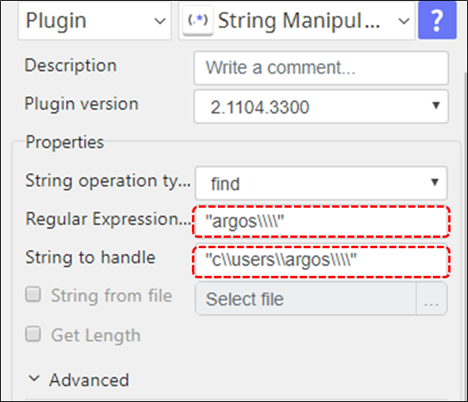
When double quote is included in either Regular Expression or String to handle, you must add another set of double quotes from the beginning and at the end of the parameter string.
Example 1
When your Regular Expression statement starts and end with double quotes
"[A-Z]-[0-9][a-z]"
You must add another set of double quotes like below
“"[A-Z]-[0-9][a-z]"”
Example 2
When you have double quotes in your String to handle parameter
90 min video tutorial "Rocket-st1rt"
must become
"90 min video tutorial "Rocket-st1rt""
Similarly, when back slash is included in your Regular Expression statement or in String to handle parameter, then you must add one more backslash to every backslash.
Example 3
C:\users\argos
Must be annotated like
C:\\users\\argos
Furthermore, when you are ending strings with a backslash, you must not only add one more backslash but also add double quote at the top and end of the string and add 2 more backslashes
Example 4
C:\users\argos\
Must become
"C:\\users\\argos\\\\"
These irregular rules are due to Command Line Interpreter rules(CMD.EXE) and Python string literals.
New parameters are added in the Advanced Menu from version 2.1104.1120
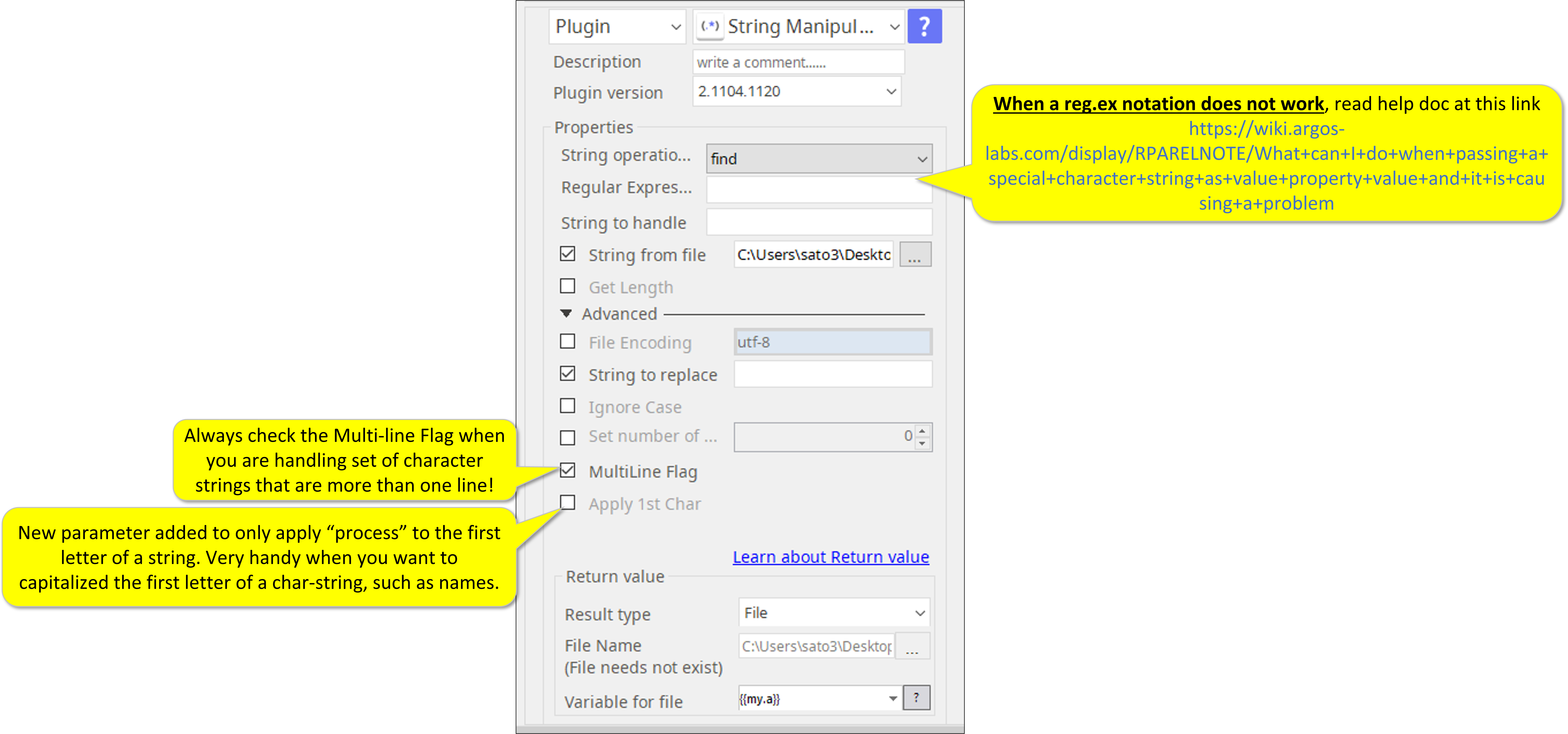
All Regular Expression token sequence can be used with exception of a few tokens that are described in Errata here.
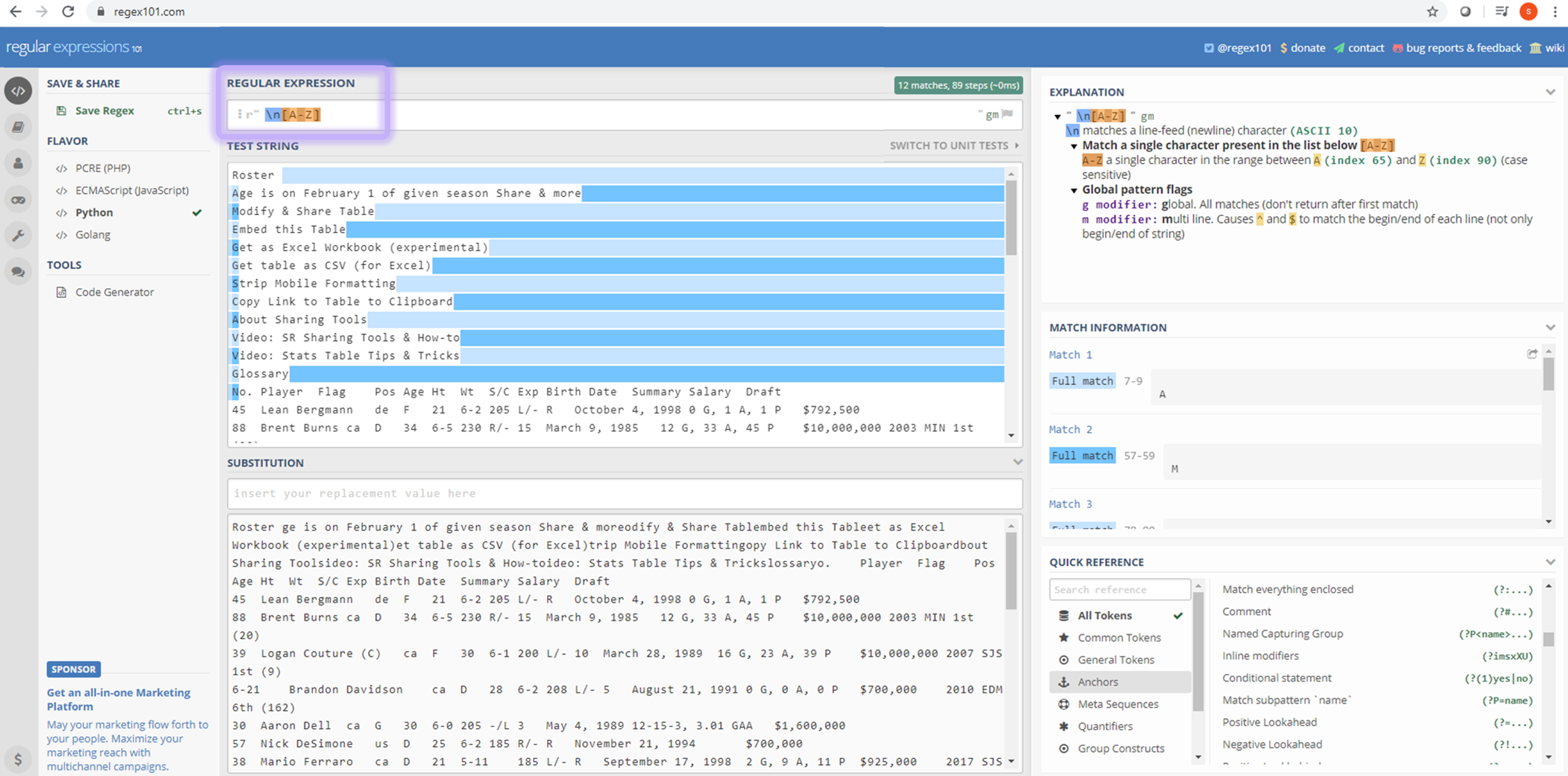
To test and capture Regular Expression token sequences, we recommend to use online tools such as “regular expressions 101” https://regex101.com/
You can simply test and copy/paste the token sequence from the tool and paste in the plugin parameter section.
IMPORTANT NOTE
Please read when handling SPACE by itself.
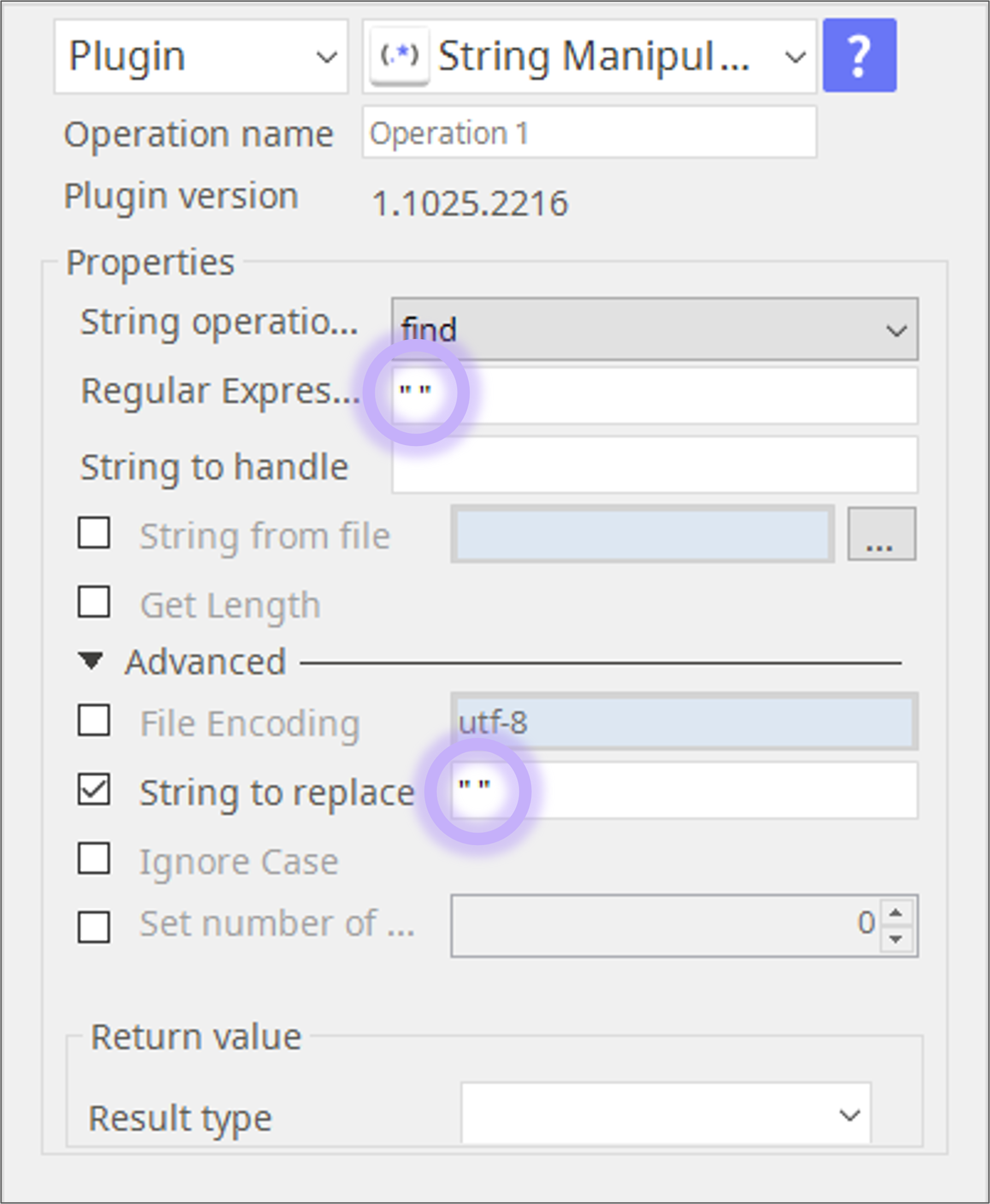
String Manipulation plugin is almost 100% compatible to standard Regular Expression. Only exception is handling of "space". When handling space alone as a single character, you must use double quotations around space i.e. " ".
When space is part of the string you try to find, no need to have double quotation. Examples are , (comma and space), a b (a space b), and a + (a space plus).
Finding space can be also done other tokens such as \s.
 Refer to this FAQ contents when you find incompatibility between Regular Expression (Python) and String Manipulation.
Contents
Errata
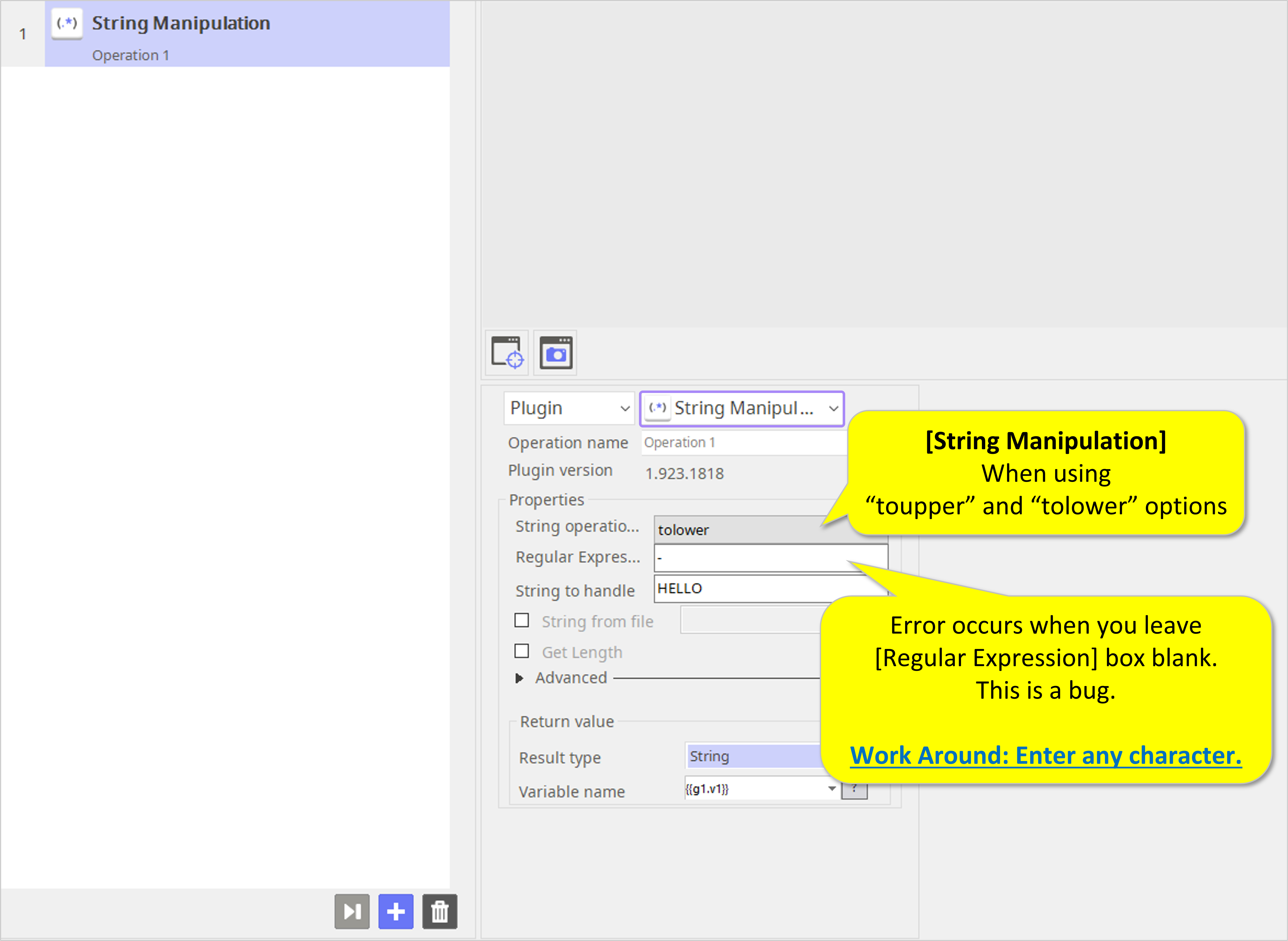
toupper/tolower options need Regular Expression box filled with at least one character.
Reported: September 20, 2019
Fix Schedule: Undecided
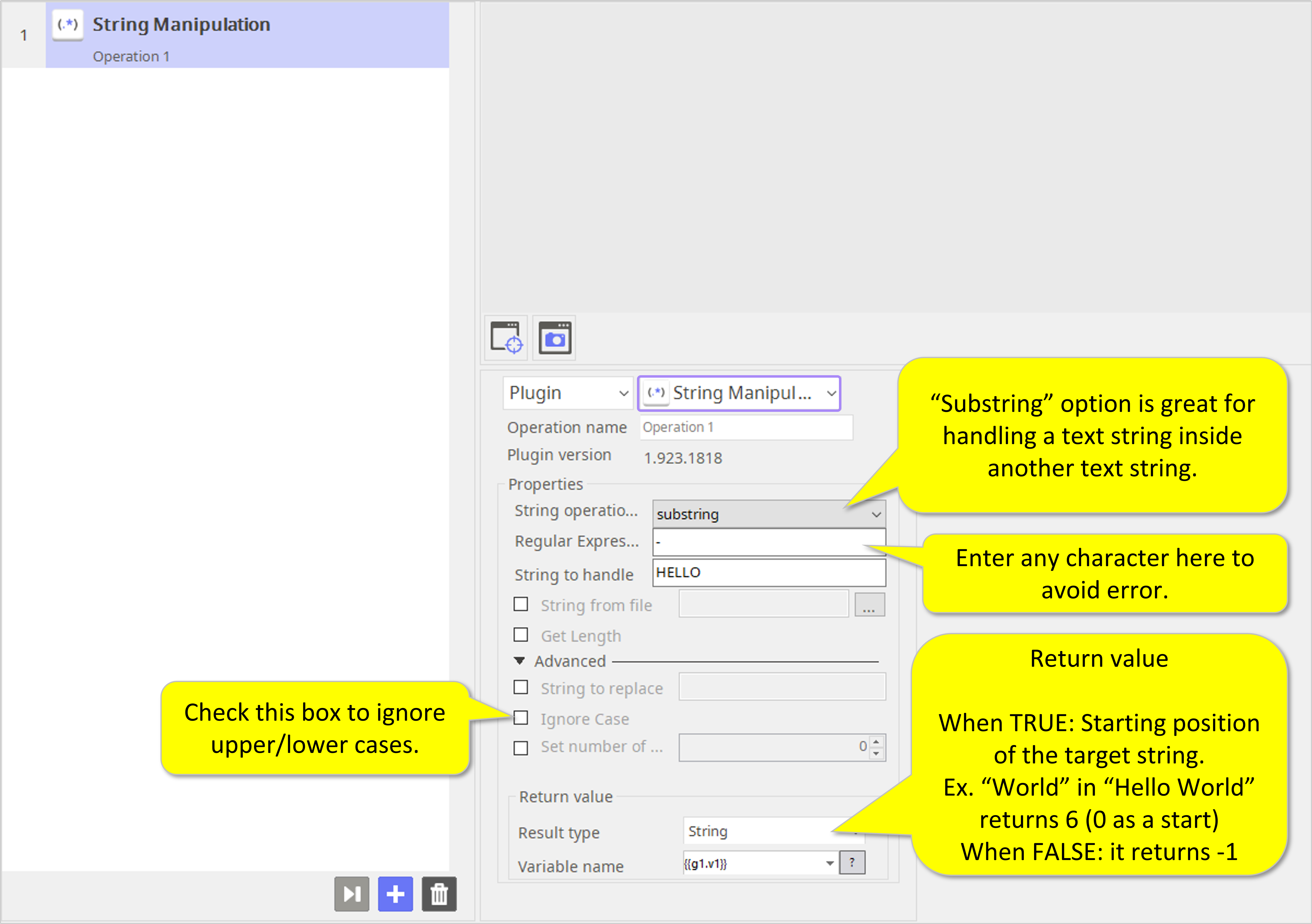
When using “substring” option.
- Substring option finds a target string in another text string.
- It returns the starting position of the target string when found – see example below.
It returns -1 if not found.
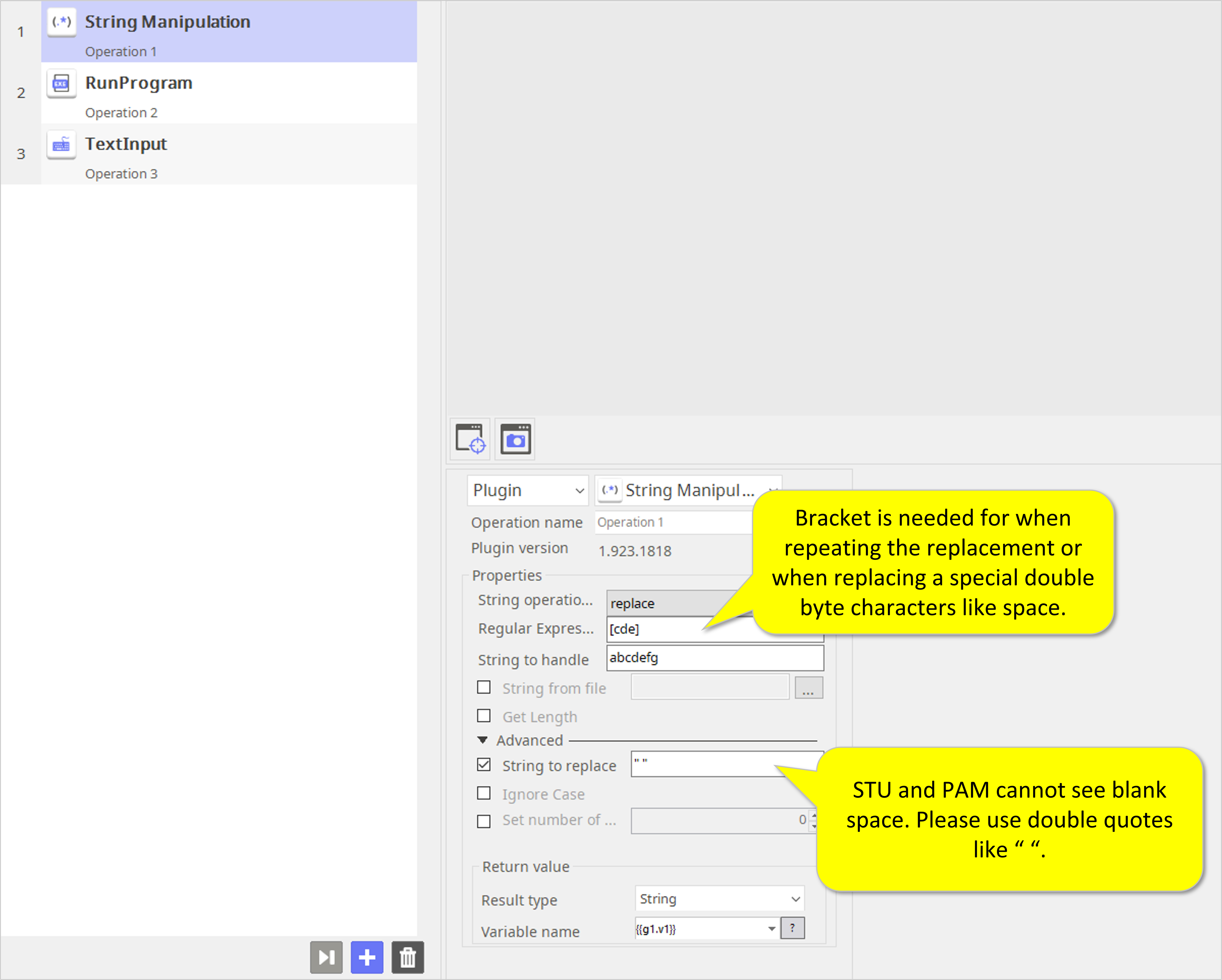
When you are replacing characters with a space use double quotes “ “.
This is a bug.
Reported: September 25, 2019
Fix Schedule: Undecided
- ABBYY Download
- ABBYY Status
- ABBYY Upload
- AD LDAP
- Adv Send Email
- API Requests
- ARGOS API
- Arithmetic Op
- ASCII Converter
- Attach Image
- AWS S3
- AWS Textra Rekog
- Base64
- Basic Numerical Operations
- Basic String Manipulation
- Bot Collabo
- Box
- Box II
- Chatwork GetMessage
- Chatwork Notification
- Citizen Log
- Clipboard
- Codat API
- Convert CharSet
- Convert Image
- Convert Image II
- Create Newfile
- CSV2XLSX
- Dashboard Api
- DashBord Api
- Data Plot I
- Date OP
- DeepL Free
- Detect CharSet
- Dialog Calendar
- Dialog Error
- Dialog File Selection
- Dialog Forms
- Dialog Info
- Dialog Password
- Dialog Question
- Dialog Text Entry
- Dialog Text Info
- Dialog Warning
- DirectCloud API
- Doc2TXT
- DocDigitizer Get Doc
- DocDigitizer Tracking
- DocDigitizer Upload
- Drag and Drop
- Dropbox
- Dynamic Python
- Email IMAP ReadMon
- Email Read Mon
- Env Check
- Env Var
- Excel2Image
- Excel Advanced
- Excel Advance IV
- Excel AdvII
- Excel AdvIII
- Excel Copy Paste
- Excel Formula
- Excel Large Files
- Excel Macro
- Excel Newfile
- Excel Simple Read
- Excel Simple Write
- Excel Style
- Excel Update
- Fairy Devices mimi AI
- File Conv
- File Downloader
- File Folder Exists
- File Folder Op
- File Status
- Fixed Form Processing
- Floating Form Processing
- Folder Monitor
- Folder Status
- Folder Structure
- FTP Server
- Git HTML Extract
- Google Calendar
- Google Cloud Vision API
- Google Drive
- Google Search API
- Google Sheets
- Google Token
- Google Translate
- Google TTS
- GraphQL API
- Html Extract
- HTML Table
- IBM Speech to Text
- IBM Visual Recognition
- Java UI Automation
- JP Holiday
- JSON Select
- JSON to from CSV
- Lazarus Forms
- Lazarus FTP
- Lazarus Grid
- Lazarus Invoices
- Lazarus RikAI
- Lazarus RikAI2
- Lazarus RikAI2 Async
- Lazarus Riky
- Lazarus VKG
- LINE ID Card OCR
- LINE Notify
- LINE Receipt OCR
- Mangdoc AI Docs
- Microsoft Teams
- MongoDB
- MQTT Publisher
- MS Azure Text Analytics
- MS-SQL
- MS Word Extract
- NAVER OCR
- Newuser-SFDC
- OCI
- OCR PreProcess
- OpenAI API
- Oracle SQL
- Outlook
- Outlook Email
- PANDAS I
- pandas II
- pandas III
- PANDAS profiling
- Parsehub
- Password Generate
- Path Manipulation
- PDF2Doc
- PDF2Table
- PDF2TXT
- PDF Miner
- PDF SplitMerge
- PDF Viewer(Start/Stop)
- PostgreSQL
- Power Query
- PowerShell
- PPTX Template
- Print 2 Image
- Python Selenium
- QR Generate
- QR Read
- RakurakuHanbai API
- Regression
- Rename File
- REST API
- Rossum
- Running GAS
- Scrapy Basic
- Screen Capture
- Screen Recording START
- Screen Recording STOP
- Screen Snipping
- Seaborn Plot
- SharePoint
- Simple Counter
- Simple SFDC
- Slack
- Sort CSV
- Speed Test
- SQL
- SQLite
- SSH Command
- SSH Copy
- String Manipulation
- String Similarity
- Svc Check
- Sys Info
- Telegram
- Tesseract
- Text2PDF
- Text2Word
- Text Read
- Text Write
- Time Diff
- Time Stamp
- Web Extract
- Windows Op
- Windows Screen Lock
- Win UI Control
- Win UI Text
- Word2PDF
- Word2TXT
- Word Editor
- Work Calendar
- XML Extract
- XML Manipulation
- Xtracta Get Doc
- Xtracta Tracking
- Xtracta Upload
- YouTube Operation
- ZipUnzip